Streaming is a business, and it’s a trending one. If you want to catch this train, you better hurry! We’ve created a hub for you to catch the st(r)eaming train just in time, and start broadcasting off on the right foot.
In short, to start, this is the streaming equipment you’ll need:
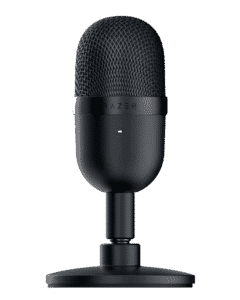
Microphone
It goes without saying - a good mic is half of the job (well, not really, but…). Unless you want to mute your stream, hide your voice forever, or just show your attributes, you are going to need a high-quality voice!
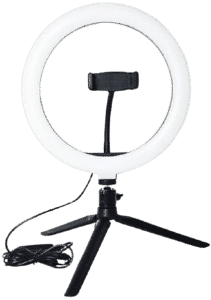
Lighting
There are all sorts of lighting you can use, but here are some of the most popular ones worth checking out. Not only that we reviewed them, but you could also use our guides and learn even more on setting the angle, creating your own DIY lighting, and much more!
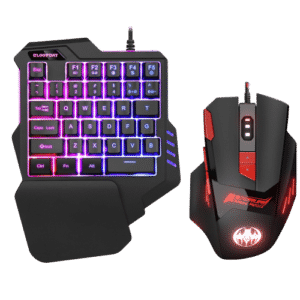
Mouse and Keyboard
Of course, what’s a streamer without his “hands”?
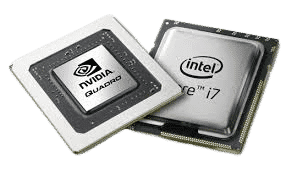
PC Components
Yeah, mouse and keyboard are also components (we know, we know), but let’s just forget about that and focus on the components that directly impact your stream quality (and not your gameplay).
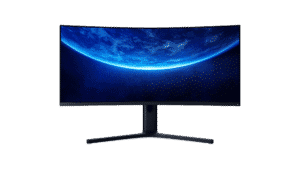
Streaming Monitors
Is there a meme about streaming on 60 HZ monitor? Because they should probably create one. If planning to stream, good monitor(s) are must have. Be it for gaming, or just monitoring your chat - you’ll need to spend some money on good visuals.
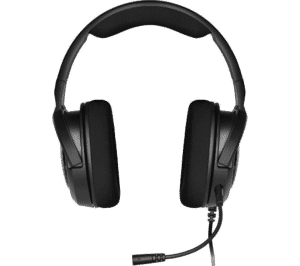
Earbuds, Headsets, Headphones
A streamer without a high-quality headset? Yikes! Browse through tested earbuds, headphones, and headsets.
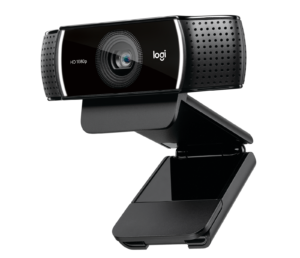
Webcams and Cameras
Nowadays, it is unusual to see a streamer without a webcam. Check out the best products!
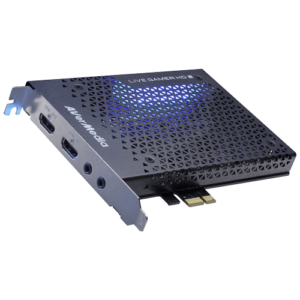
Capture Cards
If you intend to become a successful streamer, then you will need a capture card. Let’s see what are the most popular ones!
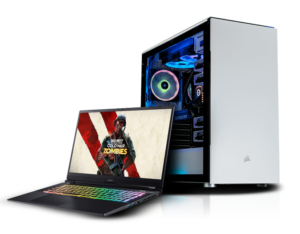
PC and Laptop
And what's a streamer without a machine to stream from? Here are some pcs and laptops you can use
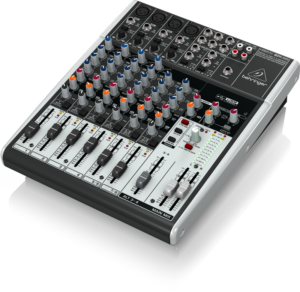
Stream Deck/Audio Mixer
Check some of the best helpful additions to your stream and improve the audio experience with these stream decks and audio mixers!
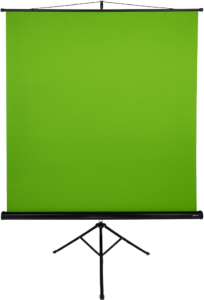
Green Screen
Investing in Green Screen and Green Screen software can prove to be very useful. Learn more about it here!

Room and Decoration
Find everything you need to set up and decorate your surroundings for streaming sessions!
Microphones
First of all, you want to make sure everyone could hear you loud and clear. Therefore, think about a quality mic. We’ve created guides that will be useful for you, no matter if you are just starting or if you’ve been in the industry for a long time.
So if you want the impeccable quality of your audio and you want to invest in it, we’ve created a list of the best mics to choose from.
Here’s a shortcut for you:
Buf if you are just looking for a decent-quality mic on a budget, check out our lists for mics under $100:
[/sc]…and mics under $50 that can do the job just fine:
[/sc]Finally, my favorite ones - XLR mics:
[/sc]Lighting
Lighting pays a huge role in video quality. So, we’ve covered some of the crucial topics that can help you boost your stream quality by a mile. Learn about the best, budget-friendly lights you can use while streaming (and how to maximize their potential), or even create a DIY setup all by yourself!
Here is a TL;DR for you:
[/sc]But if you want something more specific, here are the ring lights:
[/sc]These are out top picks for LED lights:
[/sc]…and if you are on a budget, here are some of the cheap lights that’ll do just fine for start:
[/sc]Mouse and Keyboard
Lighting pays a huge role in video quality. So, we’ve covered some of the crucial topics that can help you boost your stream quality by a mile. Learn about the best, budget-friendly lights you can use while streaming (and how to maximize their potential), or even create a DIY setup all by yourself!
Let’s start with mouse. So, if you are into heavier mice that can give you good control while gaming, here are our top picks:
[/sc]But if you are not into lifting and want something a bit lighter here you go:
[/sc]For all the gamers out there who are into vertical mice, we admire you! And we created a list particularly for you:
[/sc]And now, the keyboards. These are some of the best streaming keyboards you can get:
[/sc]But if you are looking for a silent keyboard that won’t echo in your viewers’ ears, try with something like this:
[/sc]Then again, if you want something more advanced, check out streaming decks:
[/sc]And if you find stream decks too expensive, here are some alternatives (there are 14 in total, check the full post):
[/sc]PC Components
Of course, if you intend not to stream on 10 FPS, you are going to need a solid machine to run your streams on. So, to run smooth streams, you’ll need just the things we reviewed: graphic cards, processors, but also one more thing that people often neglect - a good monitor with high refresh rate.
If you are lazy and just looking for the top 3 graphic cards, here’s a list for you:
[/sc]Then, we have some solid CPUs, and these are not just the last generation (because obviously last gen is the best, hence the most expensive ones), but actually processors that can secure smooth broadcasting without blowing a hole in your wallet and soul.
[/sc]And what’s the setup without a good motherboard? Here are some of the best ones:
[/sc]There is no streaming without stable internet and a good router. Check some of the most popular streaming routers:
[/sc]Monitors for Streaming
And what’s a good PC without a good monitor? Or a pair of these? Depending on your stream level and quality, you might want to make even a several-monitors setup, or get one only to view twitch chat (tabbing out won’t cut). So, here are some essential guides on streaming monitor setup!
…and finally, here’s the most crucial part of your PC, because no matter how great your graphics and CPU are, running stream on low quality monitor just won’t cut.
[/sc]At some level, you will just need a vertical monitor. Here are our choices:
[/sc]Some streamers simply cannot stream without a twitch chat monitor. These are obviously lower-quality monitors designed so you can simply follow your twitch chat without tabbing out on and on again.
[/sc]Headphones, Headsets, Earbuds
Nothing bats high-quality sound and noise-cancelling mic. We have tested some of the headphones for all the audiophiles out there, so you guys could enjoy fine sound and not waste any money on under-performing gear!
So if you want the impeccable quality of your audio there are quite a few options for you. Headsets are naturally the first ones that come to mind when talking stream, so here are our top picks:
Here’s a shortcut for you:
[/sc]However, if headsets hurt your ears and you care for your hair style, these are more discrete solutions - earbuds:
[/sc]Do you already have a mic? Then, here are headphones that will blow you away:
[/sc]I know my cable management sucks, and that’s why I prefer wireless things! So, if your cable managements has some flaws, check these out:
[/sc]Webcams and Cameras
Almost every successful streamer uses some sort of camera, whether it is a simple webcam or a more professional setup. Here are some of the best webcams and cameras you can use for streaming!
Here is the TL: DR for the best webcams for streaming.
[/sc]If you are looking for something more budget friendly, maybe check out these ones!
[/sc]For those who prefer using traditional cameras for better quality, check out these DSLR cameras!
[/sc]Capture Cards
Capture cards can really make a difference if you are using dual setup or consoles for streaming. Let’s see what are the best capture cards on the market nowadays!
Here are some of the best capture cards for streaming.
[/sc]If you are short on money, maybe take a look at these cheaper options.
[/sc]PC and Laptop for Streaming
Streaming requires not just good peripherals, but also a good PC or laptop. Below, you will see our choices for the best PC and laptops for streaming purposes.
Check out some of the best choices for the dedicated PC for streaming.
[/sc]These are some of the best laptops for streaming.
[/sc]Stream Deck and Audio Mixers
If you are looking for a way to make your streaming job a bit easier and richer at the same time, try out these audio mixers and stream decks.
Here are some of the choices for the best stream deck:
[/sc]Check out these popular audio mixers as well:
[/sc]Green Screen
In case you want to improve the graphic quality of your streams, you should definitely use a green screen. Here you will find out everything you need to know about how to use one and what are the best choices on the market!
Here are some of the best green screens for both small and big-time streamers.
[/sc]Room and Decoration
Apart from the tech side of the stream, people like seeing the interesting streaming environment. Here, you will find some ideas to set up your streaming equipment and decorate your room.
Here are some of the best desks for PC and streaming setup:
[/sc]Every streamer needs a comfortable chair. These are the best ones:
[/sc]