When it comes to your streaming setup, one of the most important factors that will influence your success is sound quality. If your viewers can't see you clearly while you're game streaming, it may not have significant consequences. However, if they can't hear you well, that is a completely different matter.
That is why selecting the appropriate microphone is essential.
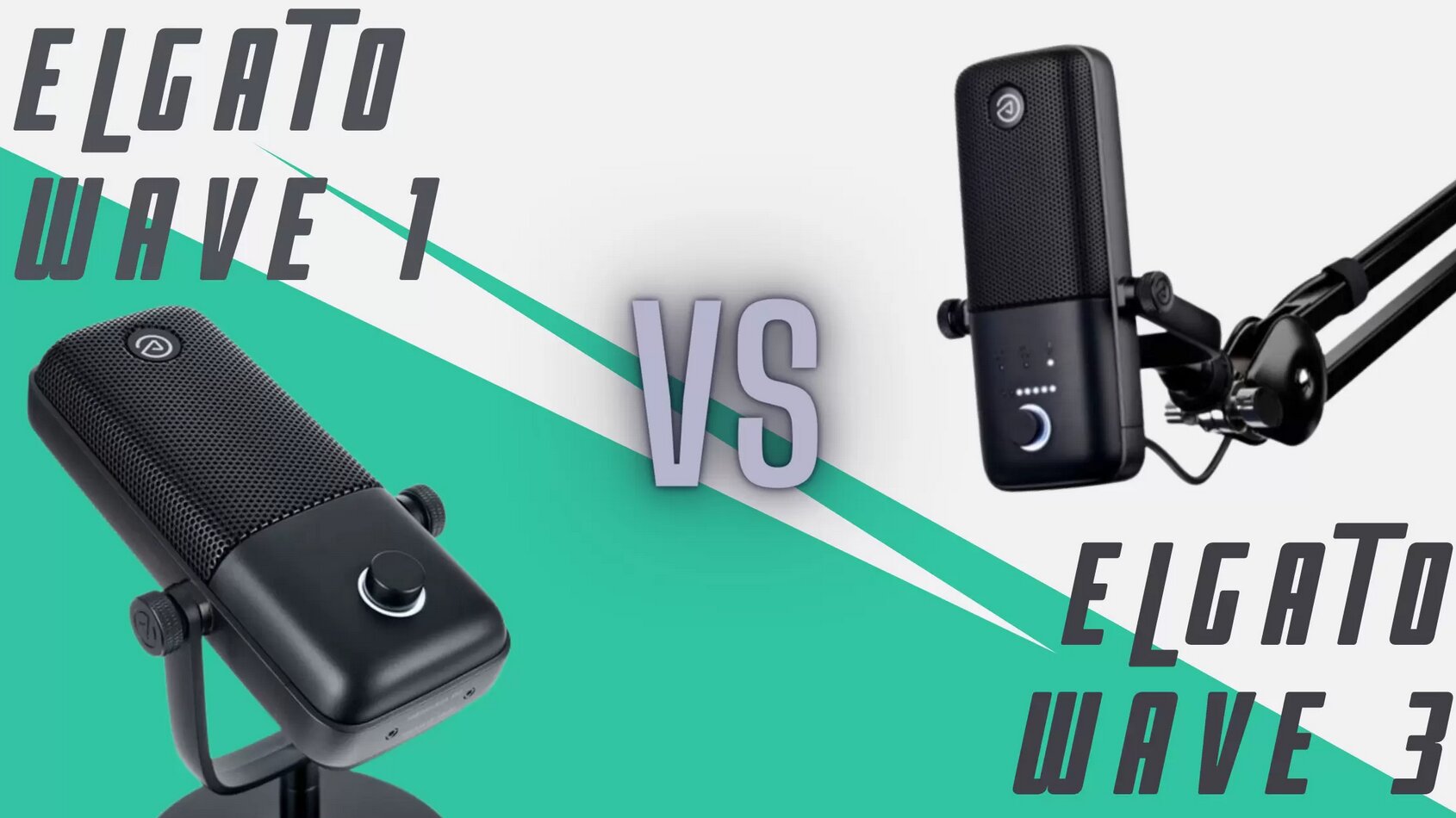
An example of quality microphones is certainly Elgato's Wave 1 and Wave 3, which share some similarities as well as a few differences. Therefore, I will compare them, so that after reading this article, you will be able to determine which one is the better option for you.
Let’s get started!
Specifications
Elgato Wave 1 vs Elgato Wave 3 - What Are The Differences
These two microphones are quite similar; however, the Wave 3 is priced higher and includes a few additional features compared to the Elgato Wave 1. Let’s explore some more details about these microphones.
Sound Quality
Sound quality is a key aspect you will receive, regardless of which mic you select. This is anticipated, as both microphones operate at 24-bit resolution and feature the same type of capsule.
Another aspect they share, which will significantly affect the audio, is the built-in pop filter designed to minimize wind noise and any sharp plosive sounds that may occur in the background. Additionally, there is the ClipGuard feature, intended to prevent peaking distortion.
Enabling this feature will greatly enhance the clarity of the output. This is particularly beneficial when you are surrounded by loud noise from another audio source, as it eliminates the need for any additional complicated setup to achieve this.
Overall, both microphones will deliver clean and highly articulate sound and accurately capture any type of human voice, as they excel at picking up nuances.
One main difference is the maximum sampling rate. However, this does not significantly impact sound quality. Specifically, the Elgato Wave 1 has a sample rate of 48 kHz, while the Elgato Wave 3 reaches up to 96 kHz. Although this does not greatly affect audio return and sound quality, it creates the impression that the Elgato Wave 3 is more sensitive. This perception is understandable, as a higher sampling rate facilitates audio processing.
That being said, the Elgato Wave 1 will not significantly differ in capturing fine details. Both devices utilize 24-bit analog to digital conversion, ensuring that the audio is delivered with a high level of detail.
Additionally, both microphones feature a tight cardioid polar pattern, making them comparable in that regard.
Condenser Capsule

The condenser capsule is another feature that these two share, which is why they sometimes sound like the same microphone. Each device is equipped with a cardioid polar pattern in its capsule.
This type of polar pattern indicates that your microphone will be most sensitive to sound coming from the front of the capsule. It has no sensitivity to sounds from behind it, at 180 degrees, and its sensitivity to audio sources on the sides is diminished. This is the most common polar pattern found in streaming microphones, which is logical since most streamers position the mic in front of them while recording.
This may not be the ideal choice if you enjoy recording streams and videos with others, but if you primarily record alone, these are the features you will want to ensure the best audio quality.
Audio Recording Software
Since both the Elgato Wave 1 and the Elgato Wave 3 come from the same manufacturer, each microphone supports the Elgato Wave Link software. This software is designed to manage audio input and output, allowing you to customize all the settings to your preference.
With the WaveLink software, you can adjust the headphone volume and the crossfade balance.
Here are the differences between Wave 1 and Wave 3, which necessitate distinct requirements from the software. Wave 3 features more controls, allowing you to manage many settings directly on the microphone. As a result, dedicated software for those controls is not essential; rather, it serves as a helpful enhancement to improve your audio quality.
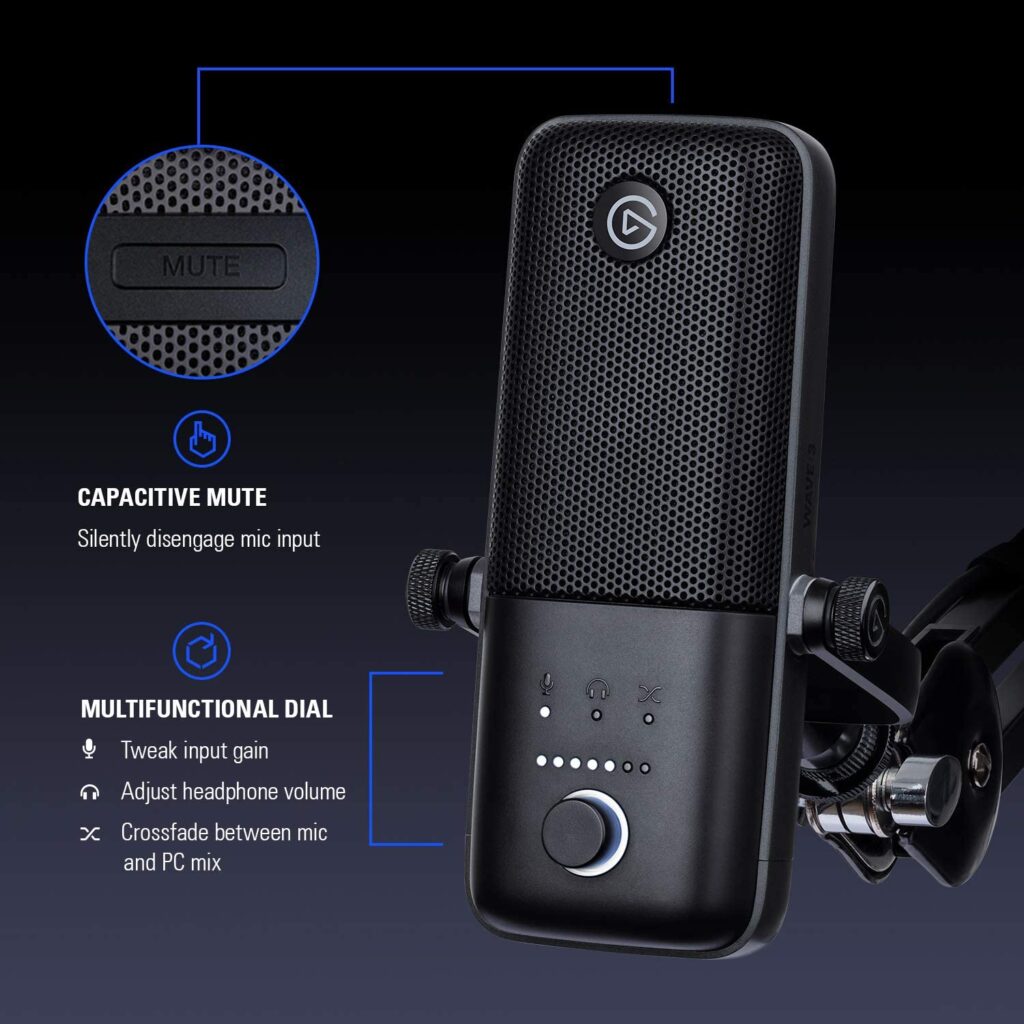
On the other hand, you will need to use the software with the Elgato Wave 1, as that microphone lacks such controls. To adjust the input gain, crossfade, and volume, you'll need to access the Wave Link software and modify the settings.
What suits you better largely depends on what you're streaming and how many different control panel programs you have open simultaneously. If there are many windows open, adding the Wave Link may be overwhelming.
The Wave Link boasts impressive features that can be extremely beneficial. Most importantly, it can mix sounds from 8 different audio sources, ensuring that your voice, game audio, and the music and effects you may play during the stream are seamlessly mixed and delivered to your viewers.
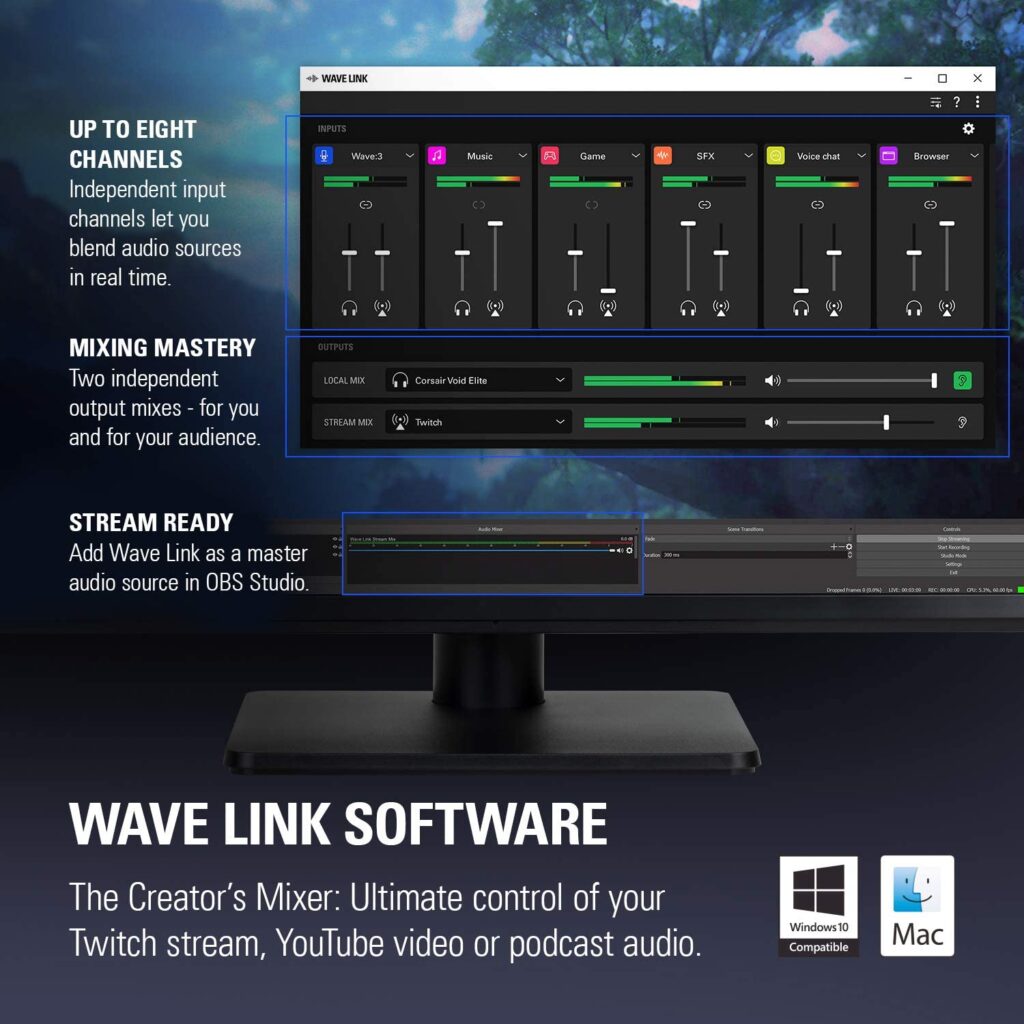
The software is straightforward and user-friendly, so even if it is your first time using similar software, you likely won't encounter any problems. The settings are easy to locate and adjust, allowing you to experiment until you discover what works best for you.
If you are upgrading your microphone and already prefer a specific type of software for your mics, such as OBS, Audacity, or Elgato Stream Deck, you can continue using them regardless of which microphone you choose to buy.
Design
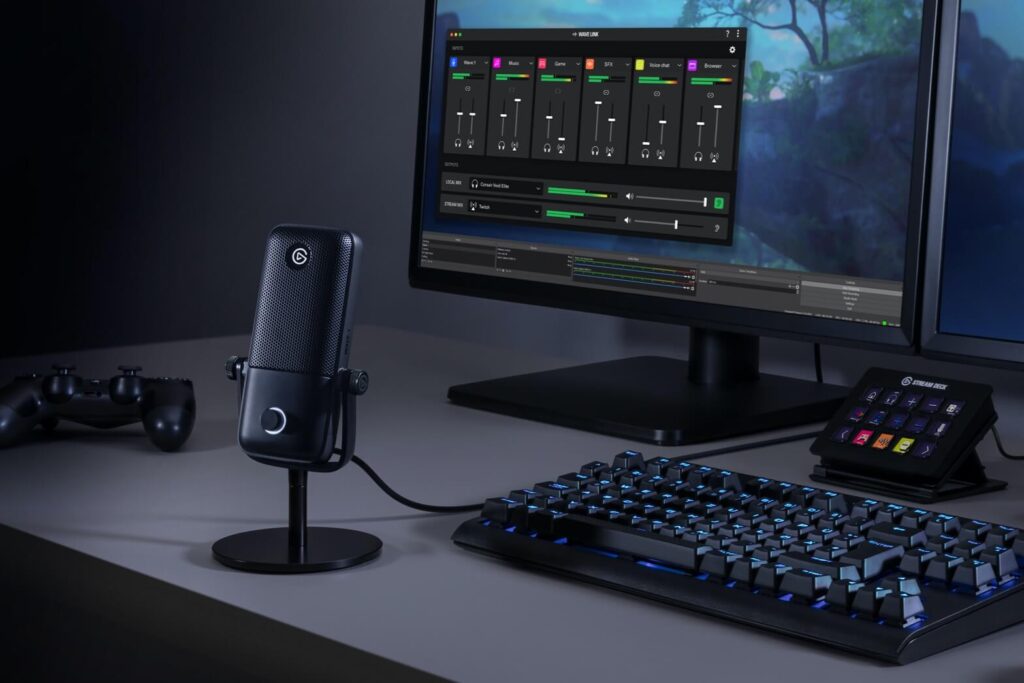
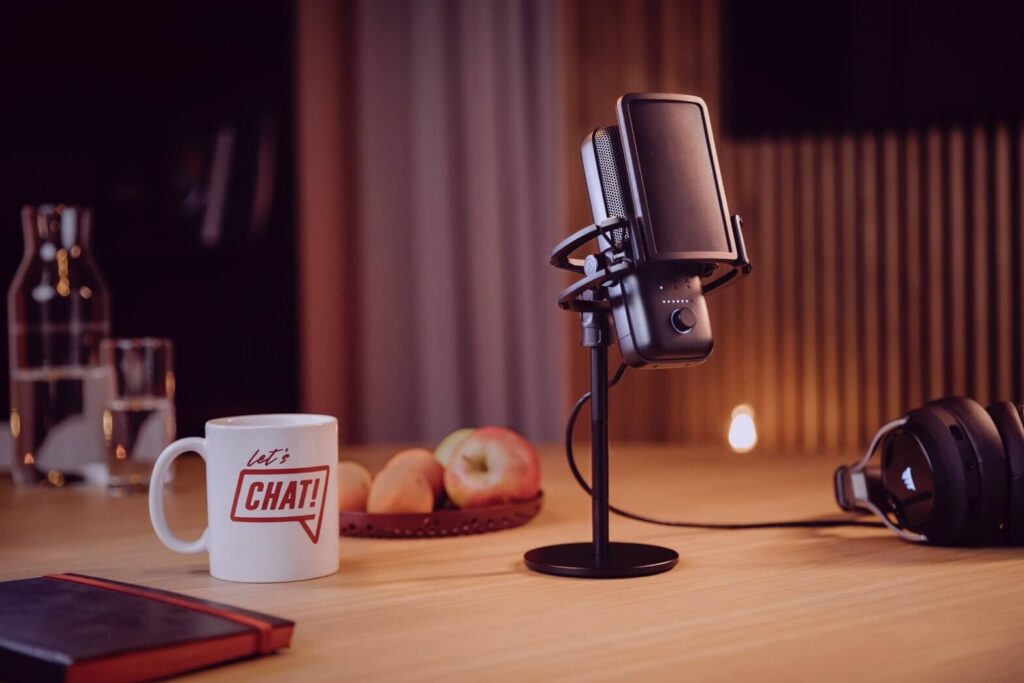
When you examine these devices, the similarities in their design are likely the first aspect that catches your attention. Apart from the extra knobs and buttons on the Wave 3, they are essentially identical.
One reason this design is favored by many is the portability of the microphones. They are sturdy yet lightweight, making them easy to carry, and you can be confident that they won't break easily. Additionally, if you occasionally need to change your streaming location, the process is very straightforward.
The Elgato Wave 3 is a high-quality microphone. Its exterior features a black eggshell finish, making it an attractive addition to your setup. It also includes a well-weighted stand, ensuring that everything remains stable and in place while you work.
Another great and useful feature is that the mic can swivel in any direction you choose. So, even if you want to adjust the placement slightly, the mic can move as needed and will still capture everything you require.
The stand is detachable, allowing you to easily move the mic and place it on a shock mount if needed. It can be mounted on a floor stand or a boom arm, ensuring compatibility with whatever setup you are accustomed to using.
While Wave 3 and Wave 1 are quite similar, Wave 1 is intended to serve as an entry-level microphone. It includes many of the same functions; however, due to its design with fewer buttons, it may not be the ideal choice for a streamer. Nevertheless, it comes with a stand and all the necessary components to mount it on a boom arm. Overall, the product quality is comparable, as it is sturdy and features excellent build quality.
Another minor difference in the design is found on the control panel, as Wave 3 includes LED lights above the control knob. This addition is due to its enhanced features compared to Wave 1. For instance, Wave 3 offers a mute function, which Wave 1 lacks.
When you purchase these mics, they include an adapter in the package, so you don't have to worry about that, either.
Finally, these devices are both plug-and-play and compatible with a wide range of software and operating systems. No matter what you're using, simply plug in the cable, and everything will function seamlessly.
Connection
Both microphones feature USB-C connectors, allowing for easy connection to any type of computer. In addition to connecting to the PC via the USB cable, you can also receive an audio signal from the computer, which is a unique feature.
This will enable you to blend the signals from each source seamlessly, as you are likely using more than one audio input. This way, your voice will mix with the game and all other sounds. Additionally, you will be able to hear everything through either your headset or the speakers.
FAQ
What is the difference between the Elgato Wave 1 and Wave 3?
They are quite similar; however, the Wave 3 includes additional features, such as LED strips on the control panel and extra knobs for audio control. Additionally, it has a mute function that the Wave 1 lacks.
Finally, the Wave 3 operates at a 96 kHz sample rate, while the Wave 1 functions at 48 kHz, allowing it to capture more details. Aside from that, they are essentially the same.
Is the Elgato Wave 1 or 3 better?
However, if you do not require the extra features, the Elgato Wave 1 will serve you just as effectively.
Is Wave 1 worth it?
It delivers high-quality audio and features a durable design that will last for a considerable time.
Its lightweight and portable nature allows you to take it with you wherever you need it.
When did the Elgato Wave 1 come out?
Conclusion
Ultimately, the final conclusion relies on what you are searching for.
If you are a streamer, purchasing the Wave 3 will certainly be more beneficial. While there is a price difference, $20 likely won't have a significant impact on your bank account, and you will receive a far superior device for your streams.
Since audio is crucial for ensuring a satisfied audience and a high-quality stream, you should definitely consider using something like Wave 3, as it will simplify your workflow. Keeping an additional software window open will likely lead to more frustration.
If your setup isn't very detailed and you don't require all the extra features that the Wave 3 offers, you will still achieve the high-quality sound you desire.
Overall, since the price difference is minimal, I must say that Wave 3 is the better option to choose.