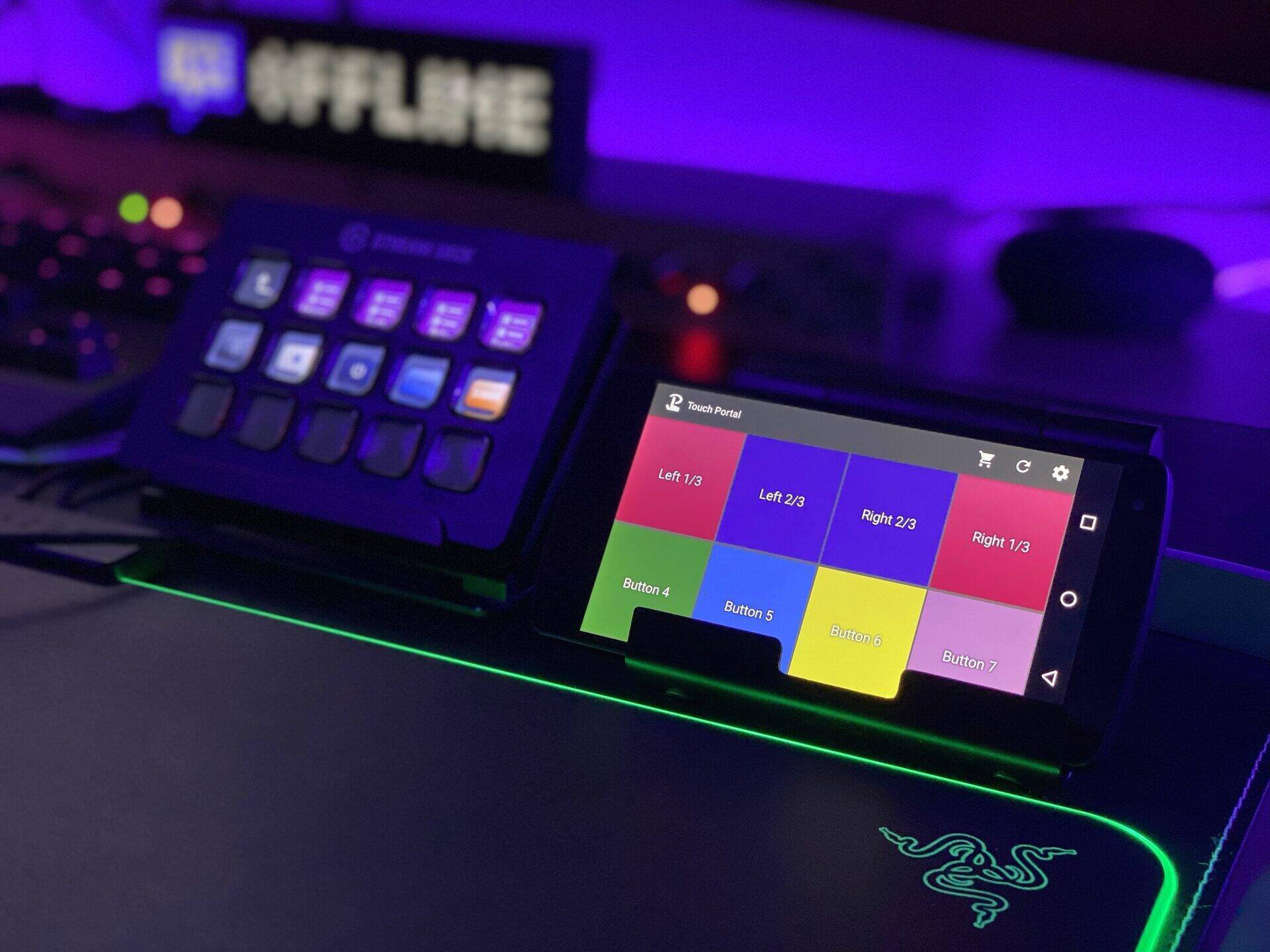
Quick answer: Try the six-key free tier of Elgato Stream Deck Mobile if you want the official ecosystem without buying hardware. Use Touch Portal or Deckboard when you want a phone/tablet macro pad with different pricing and customization. Use ordinary OBS hotkeys when you need only scene, mute, and recording controls. Physical alternatives make sense when tactile controls, knobs, or offline reliability matter.
This article was substantially rewritten in July 2026 from current product and support pages. Stream Mentor did not physically benchmark every device, so the selections are based on documented capabilities and workflow fit—not invented hands-on testing.
Start with the problem, not the product
A Stream Deck combines labeled keys, profiles, folders, multi-actions, and a plugin ecosystem. An alternative should replace the functions you actually use:
- OBS scene and source control
- Microphone or audio mute
- Starting and stopping recording
- Sending chat messages or markers
- Launching applications and URLs
- Running keyboard shortcuts or multi-step macros
- Controlling lights, music, editing, or meetings
If you need only three actions, free hotkeys may be better than another device and account.
Best low-cost and software alternatives
Elgato Stream Deck Mobile: official ecosystem
Elgato's current documentation says Stream Deck Mobile provides six customizable keys for free, with plugins, pages, folders, and profiles. It connects an iOS or Android device to Stream Deck software on a PC or Mac.
Best for: testing the official Stream Deck workflow, reusing Marketplace plugins, or adding a small remote control without hardware.
Consider: the phone must be available, powered, connected, and unlocked. Paid layouts and terms vary by platform and region; verify them in the official app before buying.
Touch Portal: flexible phone or tablet control
Touch Portal's current product page offers a limited free version and a Pro upgrade. Its documented controls include OBS remote actions, customizable pages, larger grids, animated buttons, variables, connectors, and plugins.
Best for: creators who want a large customizable touch surface and are willing to build their own pages.
Consider: flexibility creates setup time. Verify plugin maintenance and operating-system support for every essential integration.
See the official Touch Portal feature and upgrade page.
Deckboard: simple macro boards
Deckboard documents mobile macro boards, keyboard actions, application and URL launching, media control, and integrations for OBS, Streamlabs, Twitch, and Spotify. Its free and Pro grids differ.
Best for: a straightforward phone-based button grid for shortcuts and basic streaming control.
Consider: confirm that the exact integration and current desktop/mobile platform combination you need is supported.
Use Deckboard's official feature list for current details.
OBS hotkeys: best when free and dependable matters
OBS can assign keyboard shortcuts to scenes, sources, audio, recording, streaming, replay buffer, studio mode, and other actions. A spare keyboard or unused function-key layer can become a simple control surface.
Best for: essential controls with no phone connection, cloud account, or extra background software.
Consider: keys have no dynamic labels, conflicts are easy to create, and complex multi-actions need another automation layer.
Physical alternatives
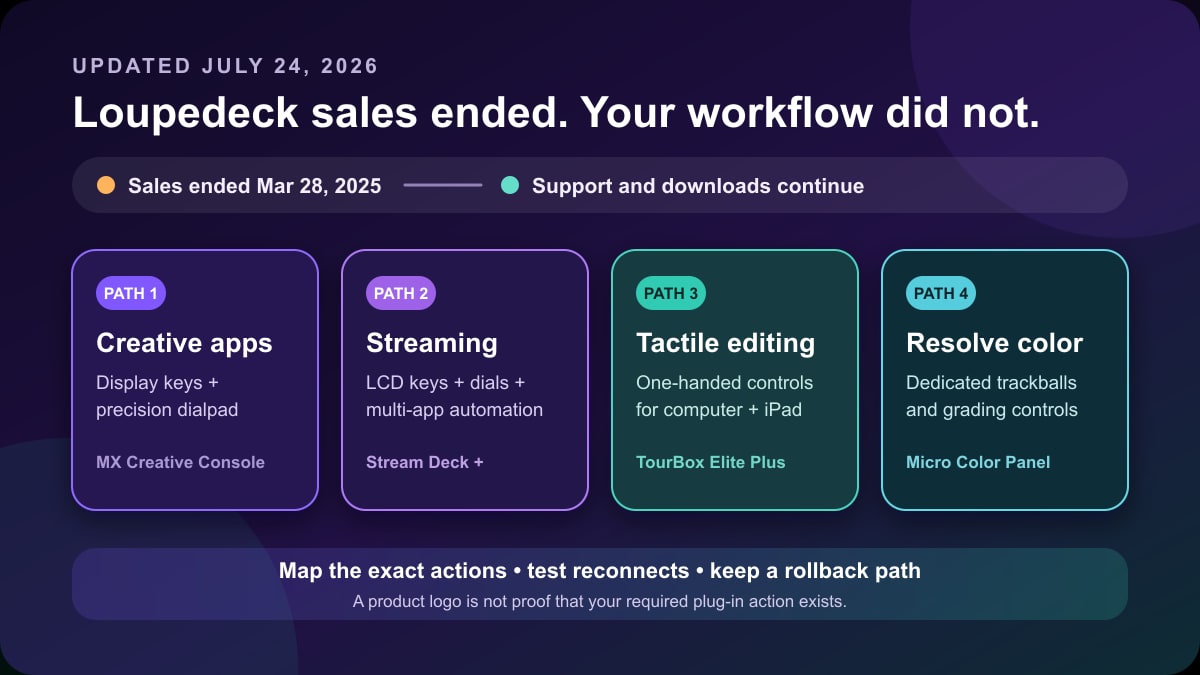
Logitech MX Creative Console
This type of device is aimed at creators who value a combination of programmable keys and analog controls for creative applications. Check the current plugin list for OBS and every non-streaming app in your workflow before purchasing.
Loupedeck hardware: buy cautiously
Logitech announced that new Loupedeck product-line sales ended while future development shifted toward the MX Creative Console ecosystem. Existing Loupedeck owners may continue receiving shared software updates and plugins, but that is different from recommending discontinued hardware as a new long-term purchase.
Read the official end-of-sales notice before buying leftover or used stock. Then use our current Loupedeck alternatives and migration checklist to compare four replacement paths.
Macro keyboards and MIDI controllers
A programmable keypad can trigger keyboard shortcuts without a touch screen. MIDI controllers add knobs and faders, but OBS or audio-app integration may require middleware. Confirm that mappings restore after reboot and that critical mute controls have visible state feedback.
Comparison by workflow
| Need | Start with |
|---|---|
| Official plugins with no hardware purchase | Stream Deck Mobile free keys |
| Large custom phone/tablet dashboard | Touch Portal |
| Simple mobile macro grid | Deckboard |
| Only core OBS actions | OBS hotkeys |
| Tactile buttons without displays | Programmable macro keypad |
| Knobs/faders for creative apps | Current supported physical controller |
Test before paying
- Write down the five actions you use most.
- Install only from the official vendor or app store.
- Create one page with those five controls.
- Test scene switching, mute state, and reconnection after a computer reboot.
- Disconnect Wi-Fi briefly if the tool depends on a phone connection.
- Confirm the app does not expose a stream key, token, or webhook in shared profiles.
- Only then compare paid tiers or hardware.
Accessibility and reliability
Touch screens offer large labels and flexible layouts but no physical key boundary. Hardware keys are easier to find by feel. Knobs can be better for gradual audio control. Choose based on vision, dexterity, desk position, and whether you must operate controls without looking away from the stream.
For critical actions, keep a fallback hotkey. A mobile device can disconnect, sleep, update, or run out of power.
Frequently asked questions
Is there a free Stream Deck alternative?
Yes. OBS hotkeys cost nothing, Stream Deck Mobile currently offers six free keys, and Touch Portal and Deckboard provide limited free tiers. Exact limits can change.
Can I use an old phone as a Stream Deck?
Yes, if the device runs a supported app and can maintain a secure local connection. Keep it powered, update the operating system where possible, and do not use an unsupported device for sensitive account access.
Is a physical controller more reliable?
A wired device avoids phone battery and Wi-Fi issues, but it still depends on desktop software, USB, and plugins. Test reconnection and keep keyboard fallbacks.
Should I buy a used Loupedeck?
Only after reading the official end-of-sales notice, confirming current software compatibility, and accepting the support risk. Do not pay as though it were a newly expanding product line.