Quick answer: Choose an alternative by workflow. Elgato Wave XLR MK.2 is a compact choice for one XLR microphone and software mixing. BEACN Mix Create is a physical controller for separate personal and audience mixes but is not itself an XLR mic interface. RØDECaster Duo suits creators who need two mic inputs, physical faders, onboard processing, and standalone production features. A conventional USB audio interface plus free mixing software is often the lowest-cost route.
This guide was substantially rewritten in July 2026 from current manufacturer documentation. Stream Mentor did not physically benchmark every product, so it avoids fake “reviews” and ranks options by documented workflow fit.
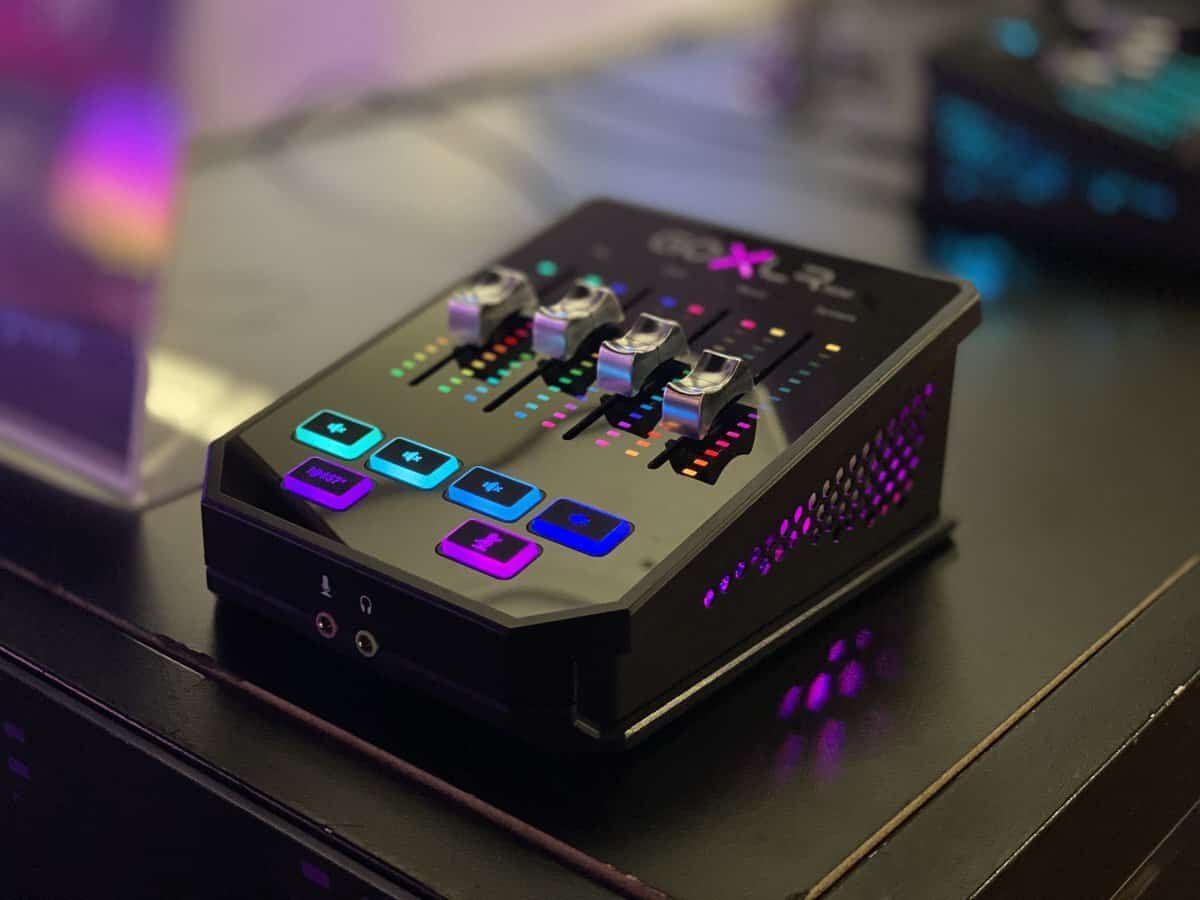
First identify which GoXLR features you need
- One or more XLR microphone preamps
- Headphone monitoring with low latency
- Separate personal, audience, VOD, or chat mixes
- Physical faders or knobs
- Voice processing, samples, or effects
- Dual-PC routing
- Standalone operation without a computer
- macOS or Windows support
No replacement matches every GoXLR feature at the same size and price. Buying an audio controller without a mic preamp—or a mic interface without application submixes—is a common mistake.
Elgato Wave XLR MK.2: compact one-mic workflow
Elgato's current Wave XLR MK.2 product page describes a single XLR microphone interface with onboard DSP effects, Clipguard, low-latency monitoring, Wave Link software mixing, VST effects, and Stream Deck control.
Choose it when: you use one XLR mic, want a compact desk setup, and are comfortable controlling application mixes mainly in software or through a separate Stream Deck.
Not a direct match when: you require four physical motorless faders, multiple mic inputs, or a standalone podcast console.
BEACN Mix Create: separate creator mixes and physical knobs
BEACN documents four physical knobs, multiple pages, personal and audience mixes, mute modes, submixes, routing, and software-assigned application sources. It requires the BEACN app.
Choose it when: physical control of application audio and different audience/personal levels matters more than an integrated XLR input.
Important: Mix Create is an audio controller and software-mix surface. Pair it with a supported microphone or interface if you need an XLR preamp. BEACN notes that its macOS feature set differs from Windows, so verify the current platform matrix.
Start with BEACN's official Mix Create setup guide.
RØDECaster Duo: multi-input standalone production
RØDECaster Duo is aimed at streaming, podcasting, and production workflows that need two combo microphone/instrument inputs, physical faders, processing, pads, USB routing, and operation beyond a simple one-mic desktop interface.
Choose it when: you host a second person, record podcasts, need onboard controls, or want a device that covers more than livestream application mixing.
Consider: it is larger and typically more expensive than a single-input interface. Confirm that its USB routing matches your specific one- or two-computer setup.
Conventional interface plus software: best value
A reliable USB audio interface can handle microphone gain and monitoring, while OBS application audio capture or a software mixer handles program routing. This is often enough for a one-PC stream.
Choose it when: you need clean mic input and basic routing but not samples, voice effects, or dedicated application faders.
Check: available gain for the exact microphone, phantom power, headphone output, driver support, loopback channels, and whether the software works on your operating system.
Decision table
| Need | Start with |
|---|---|
| One XLR mic plus creator software mixing | Wave XLR MK.2 |
| Physical application-volume knobs and submixes | BEACN Mix Create + mic interface if needed |
| Two mic inputs and standalone production tools | RØDECaster Duo |
| Lowest-cost clean mic path | USB interface + OBS/software routing |
| Four GoXLR-style faders and exact effects workflow | Map requirements carefully; no automatic one-for-one replacement |
Test before the return window closes
- Install drivers and software from the manufacturer.
- Update firmware only with stable power and official instructions.
- Set microphone gain while speaking at real stream volume.
- Create personal, audience, VOD, and voice-chat routes where needed.
- Record five minutes with game, music, chat, alerts, and microphone active.
- Test mute behavior, reboot recovery, and device reconnection.
- Save a profile or screenshots of the working route.
Avoid these buying mistakes
- Assuming every “mixer” includes an XLR microphone preamp
- Buying for advertised gain without checking noise, microphone sensitivity, and real speaking distance
- Ignoring macOS/Windows feature differences
- Expecting OBS faders to automatically create separate headphone and audience mixes
- Depending on unsupported community drivers for a production channel
- Using one hardware mute without verifying which outputs it actually mutes
Frequently asked questions
What is the closest GoXLR alternative?
There is no universal one-for-one replacement. RØDECaster Duo is closer for multi-input hardware production, while Wave XLR and BEACN Mix Create cover different halves of the creator-audio workflow.
Does BEACN Mix Create connect an XLR microphone?
Not by itself. It controls software audio mixes and requires the BEACN app; use a compatible microphone or separate audio interface for an XLR mic.
Can I stream without a hardware mixer?
Yes. A USB mic or interface plus OBS and software audio routing is sufficient for many one-PC streams. Hardware controls mainly improve speed, tactile operation, and complex routing.
Should I replace a working GoXLR?
Not solely because newer alternatives exist. Keep installer, driver, profile, and recovery backups, and replace it when support, compatibility, reliability, or workflow requirements create a real problem.