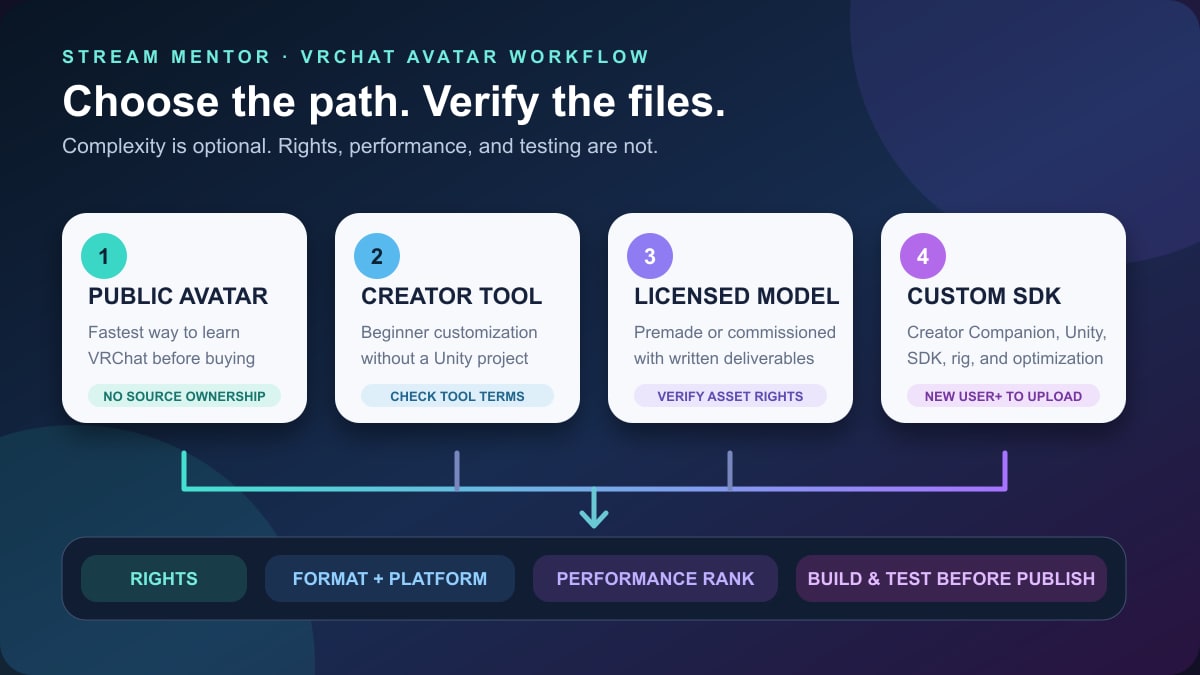
Quick answer: there is no single “best” VRChat avatar. The right path depends on whether you want to use an existing public avatar, customize a beginner-friendly avatar system, buy or commission a licensed model, or build and upload your own. For a custom upload, VRChat currently requires a VRChat account with a trust rank of New User or higher, the VRChat Creator Companion, the supported Unity version, and the VRChat SDK.
Best starting point: use a public avatar or one of the creation tools listed by VRChat before opening Unity. Move to a custom SDK project only when you need a specific design, control over the files, or features the simpler path cannot provide.
Editorial update: Stream Mentor completely rebuilt this guide on July 24, 2026 from current VRChat creation documentation and terms. The old page ranked affiliate marketplaces, quoted unsupported prices and delivery claims, described obsolete import flows, and used first-person recommendations without a recorded test. This replacement does not rank sellers or claim that Stream Mentor commissioned, downloaded, security-audited, or performance-tested the listed model paths.
Choose one of four VRChat avatar paths
| Path | What you control | Technical work | Main check before continuing |
|---|---|---|---|
| Use a public avatar | Your selected appearance, not the source model | Low | Respect the creator's rules and VRChat content labels |
| Use an avatar creation system | Choices exposed by that tool | Low to moderate | Confirm the tool is still listed or supported and read its terms |
| Buy or commission a model | Depends on the license and deliverables | Moderate | Get written rights, formats, platform targets, and third-party asset terms |
| Build and upload a custom avatar | Model, rig, materials, features, and project files | High | Use the current Creator Companion, SDK, supported Unity version, and performance guidance |
The shortest path is not automatically the worst, and the most complicated avatar is not automatically the best. Other players can hide or partially block resource-heavy avatars. VRChat's own performance documentation recommends aiming for a Good rank and says Medium is also a reasonable result.
If you are deciding between an avatar for a social VR environment and one for a livestream, start with the site's VRChat world guide and VTuber avatar format guide. A VRChat-ready Unity project and a model prepared for VTuber tracking are not automatically interchangeable.
Use a public avatar when you want to start now
A public avatar lets you learn how VRChat feels before purchasing files or configuring a development project. VRChat's upload documentation explains that creators can make an uploaded avatar public, which allows it to be cloned or shared through avatar pedestals, or private, which limits it to the uploader.
Using a public avatar does not transfer ownership of its design or files. Do not extract, re-upload, sell, or present another creator's work as your own. If the avatar has content warnings or the creator publishes usage rules, follow them.
Use an official-listed avatar system for simple customization
VRChat's current first-avatar guide points beginners to its Avatar Systems page. These tools work more like a character creator and can provide a simpler route without requiring the VRChat SDK. VRChat says any user can use this path, including a Visitor who has not yet reached the trust rank needed for custom uploads.
Availability, export options, account requirements, privacy practices, and licenses belong to the individual tool and can change. Follow the current link from VRChat, then read the tool's own terms before uploading a face photo, signing in, purchasing assets, or assuming you can reuse the model elsewhere.
Buy or commission when the license and files are explicit
A premade or commissioned avatar can save modeling and rigging time, but a listing image is not a technical specification. Before paying, confirm that the deliverable is prepared for VRChat rather than merely being a render, generic 3D mesh, or file for another avatar application.
VRChat's own guide mentions several third-party stores as possible sources, but it also tells users to confirm that the model is rigged, uses a Unity-compatible format such as FBX, and includes a license that permits its use in VRChat. A marketplace's presence in an official guide is not a guarantee for every seller, file, script, or transaction.
Build your own when control justifies the learning curve
A custom project is the right path when you need original geometry, precise expressions, platform-specific versions, or control over future updates. It also means taking responsibility for modeling, rigging, textures, materials, optimization, content labels, and every asset included in the upload.
VRChat says any 3D tool is acceptable if it can export a suitable FBX with an armature. Blender is a common free option, but learning to model, texture, rig, and optimize a character is a real production discipline—not a one-click upload.
Current requirements for a custom VRChat avatar
- A VRChat account: a Steam or Meta-only account must be linked to a VRChat account before using the SDK upload workflow.
- New User trust rank or higher: Visitors can build and test locally, but VRChat currently requires New User or higher to publish an avatar online.
- VRChat Creator Companion: VRChat recommends it for installing the supported Unity version, creating the project, and managing the SDK.
- The supported Unity version: use VRChat's live Current Unity Version page. Installing a newer general Unity release can make an upload incompatible.
- A rigged model: for a humanoid character, the model needs a usable armature and appropriate Unity rig settings.
- Rights to every included asset: the model, base, textures, hair, clothes, fonts, sounds, animations, shaders, and other components must be yours or licensed for this use.
Do not buy a Unity package solely because the thumbnail says “VRChat ready.” Ask which SDK and Unity version it was prepared with, whether it includes source files, which platforms it targets, and whether any dependency requires a separate purchase or license.
VRChat avatar formats and compatibility
FBX is the normal custom-model handoff
VRChat's current guide recommends a Unity-compatible format such as .fbx and an armature for an avatar you import into an SDK project. After import, a humanoid character normally needs its Unity Animation Type set to Humanoid before it is configured as a VRChat avatar.
A file opening in Unity does not prove it is ready. Textures can be missing, materials can use unsupported shaders, bones can map incorrectly, and scripts or features can target an old SDK. Test a copy in a clean project before changing the only source file.
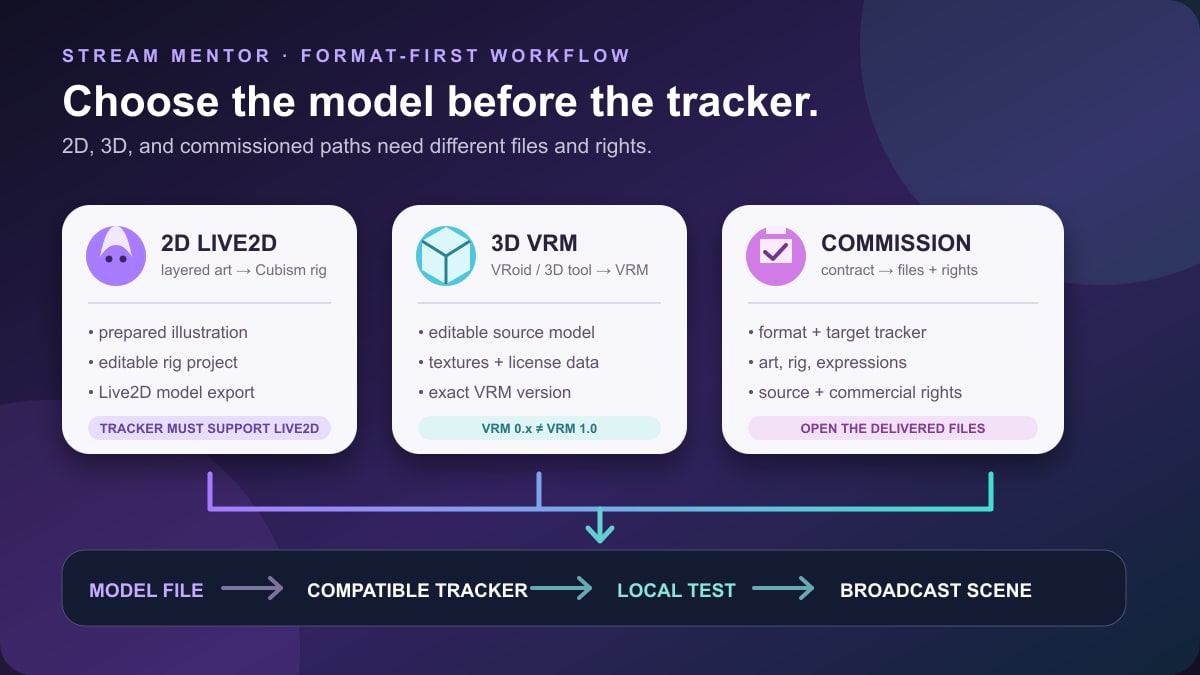
VRM is not a native VRChat upload format
VRoid Studio exports VRM, but VRChat explicitly warns that VRM is not natively supported by Unity in its standard avatar workflow. The official guide points to a community converter as one possible route. A community plugin is a separate dependency: verify its current documentation, supported VRM version, supported VRChat SDK, source, and maintenance status before installing it.
If a seller says a model is “VRM and VRChat compatible,” ask for the actual VRChat-ready project or FBX deliverable and the exact supported workflow. Do not assume the same file can be dropped unchanged into every VTuber application and VRChat.
PC and Android/Quest versions need different budgets
VRChat's first-avatar guide currently tells creators to keep a model below 70,000 triangles for PC and below 20,000 for Meta Quest. It notes that a PC avatar above that level can still upload but receives a Very Poor performance rank, which can cause fewer people to see it.
Triangle count is only one part of performance. VRChat also evaluates or reports areas such as skinned meshes, material slots, texture memory, bones, particle systems, lights, contacts, constraints, and PhysBones. Use the live Performance Ranks documentation instead of copying a single number into a permanent purchasing specification.
For cross-platform use, plan separate platform versions or overrides early. Removing an unsupported shader after the model is finished is not the same as designing a readable, performant Android/Quest version from the beginning.
How to create and upload a custom VRChat avatar
1. Write the platform and rights brief
Decide whether the avatar is for PC only or also for Android/Quest, whether it will be private or public, and which features are essential. List every third-party asset and its license. If you cannot identify the creator and terms for a base, outfit, texture, animation, audio clip, or shader, do not put it in the project.
VRChat's terms require uploaders to own the content or have the necessary licenses, rights, consents, and permissions. They also prohibit content that infringes copyright, trademark, privacy, publicity, and other third-party rights. A familiar game or anime character is not automatically lawful to upload merely because similar avatars already exist.
2. Choose, commission, or create the model
For a premade model, review the license before downloading. For a commission, agree on the deliverables before work begins. For a self-made model, keep editable source files and export a fresh delivery copy rather than repeatedly editing a flattened result.
Check the rig, facial blend shapes, textures, materials, and scale. VRChat's guide recommends a humanoid avatar that functions at a sensible scale and explains that viseme blend shapes are the common detailed lip-sync path. Do not promise yourself eye tracking, face expressions, or lip sync until the model actually contains the required shapes, bones, and configuration.
3. Install through the Creator Companion
Download the VRChat Creator Companion from VRChat's official route. Let it install or manage the Unity version VRChat currently supports and create an avatar project with the current SDK. Avoid a random tutorial's version number when the live VRChat documentation says something different.
Make a backup before upgrading an existing project. Do not open the only copy in a different Unity version and hope it can be reversed.
4. Learn the upload path with the example avatar
VRChat includes an example avatar so a beginner can learn the SDK and publishing steps before diagnosing a custom model. Uploading or locally testing the example first separates account, SDK, and project problems from problems inside the purchased or self-made asset.
5. Import and configure the model
Import the model and required textures into the project. Confirm the rig, place the avatar at a sensible scale, and add a VRC Avatar Descriptor. Set the view position near the eyes for a normal humanoid head and choose the lip-sync mode the model supports.
Only import packages from a source you trust. Unity packages and editor tools can contain executable scripts. Use a clean project, inspect the publisher and repository, keep backups, and do not install a dependency merely because a model listing says it is required.
6. Fix validation and performance issues
Open the VRChat SDK control panel and read the Builder validations, warnings, content tags, and performance rank. Fix errors rather than hiding them. Review detailed avatar statistics in VRChat and optimize the elements actually responsible for the rank.
Aim for Good when practical; Medium is an acceptable target according to VRChat. Keep a lighter fallback version for crowded events even if a high-detail version is reserved for small private instances.
7. Build and test before publishing
Use Build & Test before publishing. VRChat says a Visitor can use local test avatars even without the rank required for online upload. Check scale, viewpoint, locomotion, lip sync, expressions, menus, clipping, materials, audio levels, and platform-specific behavior.
Test in conditions that resemble real use, not only an empty editor scene. Look at the avatar from first and third person, sit and move, use every toggle, and check how it affects frame rate. A feature that works once but disrupts other players is not finished.
8. Publish with accurate visibility and content labels
When the account is eligible, choose the correct platform build, name, description, thumbnail, visibility, and content warnings. Confirm again that the information is accurate and that you have the rights to upload every included element.
Private means only you can use that uploaded avatar; public allows sharing or cloning through VRChat's public-avatar mechanisms. A model seller's license can still prohibit public distribution even when VRChat technically offers the button, so the license decides what you are allowed to publish.
Commission checklist before you pay
- Identity and portfolio: verify the creator through a stable official profile and reverse-check suspicious portfolio images.
- Exact deliverables: list the Unity project, FBX, textures, editable source, thumbnail, expressions, menus, and any platform variants.
- Target platforms: state PC-only or PC plus Android/Quest and the intended performance target for each.
- Usage rights: define personal, streaming, commercial, merchandise, modification, public-avatar, and transfer rights separately.
- Third-party components: require an inventory of bases, clothes, hair, shaders, fonts, animations, and tools with their licenses.
- Dependencies: identify software or packages you must buy or install and who maintains them.
- Originality: prohibit ripped game models, unauthorized character copies, and unlicensed kitbashing.
- Revisions and acceptance: agree on milestones, revision limits, test criteria, delivery date, and what happens if the file cannot upload as specified.
- Maintenance: clarify whether future SDK fixes, platform versions, or dependency updates cost extra.
- Payment safety: use the platform's documented payment and dispute path; be cautious when pushed to an irreversible off-platform payment.
A low price does not prove fraud, and a high price does not prove ownership or technical quality. The written scope, verifiable creator identity, lawful asset chain, working test, and recoverable payment path matter more than a marketplace badge.
Common VRChat avatar mistakes
Buying a render instead of an uploadable avatar
A beautiful image can represent a model that is unrigged, unoptimized, missing dependencies, or licensed only for rendered artwork. Require file formats, platform targets, performance expectations, and a testable delivery.
Assuming “Quest compatible” means optimized
A file can technically build for Android while still receiving a poor performance rank or losing important materials and features. Ask for the expected rank and test the Android/Quest build itself.
Installing an old SDK or arbitrary Unity release
Follow VRChat's current-version page and Creator Companion. Old tutorials are useful for concepts, but their screenshots, package installation steps, and version numbers can be unsafe for a current project.
Ignoring licenses for small assets
Hair, eyes, clothes, fonts, animations, sounds, textures, and shaders can each have separate terms. “I paid for it” does not automatically include redistribution, public-avatar, commercial, or modification rights.
Optimizing only after every feature is installed
Set platform budgets before adding assets. Track triangle count, material slots, texture memory, bones, and dynamic components throughout the project so one late optimization pass does not destroy the design.
Frequently asked questions
Can I upload a VRChat avatar as a Visitor?
You can build and test locally, but VRChat currently requires a New User trust rank or higher to publish a custom avatar online. VRChat says it emails new users when uploading becomes available.
Do I need Unity to make a VRChat avatar?
Not for every path. VRChat lists avatar creation systems that can create simple avatars without the SDK. A conventional custom avatar upload uses the Creator Companion, VRChat's supported Unity version, and the SDK.
Can I upload a VRM file directly to VRChat?
Not through the standard native workflow described by VRChat. Its documentation says VRM is not natively supported and points to a community conversion route. Verify the converter's current version and documentation before relying on it.
How many triangles can a VRChat avatar have?
VRChat's current beginner guide advises staying below 70,000 for PC and 20,000 for Meta Quest. Performance also depends on many other components, and thresholds can change. Use the live platform and Performance Rank documents for the project you are shipping.
Should I make my avatar public or private?
Choose private unless you own or have licensed every component for public sharing. Public visibility can allow other users to clone or access the avatar through VRChat's systems. A seller's personal-use license may not allow that distribution.
Where should I get a VRChat avatar?
Start with public avatars or the creation systems linked by VRChat. For paid files, use a creator or store with a clear identity, lawful portfolio, detailed deliverables, compatible files, license terms, platform targets, and a protected payment process. No marketplace makes every listing safe.
Sources and review scope
- VRChat Creation: Creating Your First Avatar for account and trust requirements, creation paths, formats, rights, platform guidance, Creator Companion setup, descriptor configuration, testing, and publishing.
- VRChat Creation: Performance Ranks for the purpose and limits of the ranking system and VRChat's Good/Medium guidance.
- VRChat Creation: Current Unity Version for the live supported editor and Creator Companion route.
- VRChat: Terms of Service for ownership, license, intellectual-property, privacy, publicity, and content responsibilities.
- VRChat Creator Companion: official documentation for installation and project management.
Sources were reviewed on July 24, 2026. Stream Mentor did not download or security-audit third-party avatar packages, commission a model for this review, or benchmark an avatar on PC, Android, Quest, or iOS. Product availability, supported Unity and SDK versions, platform limits, store terms, and licenses can change; verify the live first-party documents and the exact asset before installing or paying.