Quick answer: the best Twitch sub goal is a small, specific promise you can fulfill without pressuring anyone to spend. For a small channel, start with a chat-controlled challenge, a scheduled community game, a tutorial, a channel improvement, or a themed bonus stream. State exactly what counts, when the reward happens, what it costs, and what viewers can do for free.
Editorial update: this guide was completely rewritten on July 24, 2026. The previous article's recommendations for a 24-hour stream, shots or drinking, sleep streams, loosely planned giveaways, karaoke recordings, and movie watch parties were removed. They created avoidable health, moderation, promotion-law, privacy, or copyright risks. The new guide uses current Twitch documentation and treats fulfillment—not hype—as the standard for a good goal.
What makes a good Twitch sub goal?
A good goal improves the stream even if nobody subscribes. The paid milestone should add a clear celebration or piece of content; it should not turn the normal stream into a waiting room or make non-subscribers feel like a burden.
Twitch's Bits and Subscriptions Creator Camp guide encourages creators to set goals and provide a return for support, but it also says to put content before monetization, avoid making viewers feel guilty, and avoid monetizing so much that revenue becomes the main event. That is a useful test for every idea on this page.
Before publishing a goal, you should be able to answer five questions:
- What counts? New Subs, New Sub Points, Total Subs, Bits, or a separate community action are not interchangeable.
- What happens? Name a concrete segment or deliverable rather than “something special.”
- When is it delivered? Give a date, time zone, or clearly stated window.
- Can you afford it? Include production time, game keys, art, postage, taxes, and moderator coverage.
- Can everyone still participate? Give non-paying viewers meaningful choices, chat prompts, or activities.
24 practical sub goal ideas for small streamers
These are starting points, not a list to paste into an overlay. Choose ideas that match the channel's normal content and prepare the exact choices before going live. A visible result that happens promptly is usually more satisfying than an expensive promise scheduled months away.
Immediate, low-cost goals
| Idea | Public promise | Preparation and boundary |
|---|---|---|
| 1. Chat picks the next loadout | Chat votes among three playable builds for the next round | Preapprove the options so none breaks game rules or ruins a team match |
| 2. Ten-minute challenge | Attempt a defined in-game constraint for one short segment | Use a reversible, non-harmful challenge; do not make humiliation or injury the payoff |
| 3. Storytime poll | Viewers choose one of three prepared behind-the-scenes stories | Remove private details about friends, work, school, or location |
| 4. Viewer-built character | Chat selects the name, class, colors, or skill path from safe options | Check that names and user-generated text can be moderated before showing them |
| 5. One boss or speedrun attempt | Make one timed attempt and review what worked afterward | Promise the attempt, not a win or record you cannot guarantee |
| 6. Mini setup tour | Show how one scene, camera, or audio chain works | Hide addresses, notifications, keys, account names, serial numbers, and private screens |
Scheduled community goals
| Idea | Public promise | Preparation and boundary |
|---|---|---|
| 7. Community game night | Run an open or subscriber-priority lobby on a published date | State capacity, age rating, conduct rules, region, platform, and how free participants can join |
| 8. Beginner clinic | Teach one skill, build, route, editing technique, or art process | Define the topic and duration so “full coaching session” does not become an unlimited promise |
| 9. Themed bonus stream | Add a clearly scheduled stream around a community-picked theme | Offer only dates you can actually work and label the time zone |
| 10. Friendly tournament | Host a small bracket or score challenge with published rules | Plan moderation, tie-breaks, eligibility, game rules, and an alternative if too few people register |
| 11. Confirmed collaboration | Run a joint segment with a creator who has already agreed | Never promise another person's attendance before confirming their schedule and role |
| 12. VOD breakdown | Review one of your own past matches, art sessions, or production decisions | Use footage you are allowed to show and get consent before featuring other people's submissions |
Channel-improvement goals
| Idea | Public promise | Preparation and boundary |
|---|---|---|
| 13. Emote concept session | Sketch or commission a community-voted emote concept | Confirm the channel has an available slot and disclose whether the art is a draft or final asset |
| 14. Original alert pack | Create one new visual alert and an owned or licensed sound | Test volume, flashing, and rights before enabling it live |
| 15. Readable overlay refresh | Improve the goal bar, labels, spacing, and contrast on a set date | Do not use color alone to communicate status; test small screens and gameplay visibility |
| 16. Caption test stream | Set up captions and run a documented test broadcast | Tell viewers it is a test, review delay and accuracy, and provide a way to report problems |
| 17. Transparent audio upgrade | Buy a named item only after the stated budget is actually available | Publish the expected total cost and do not imply gross sub purchases equal money received |
| 18. Channel guide and schedule | Publish a clearer About panel, rules page, or recurring schedule | Include text—not only an image—so the information works with screen readers |
Creative celebration goals
| Idea | Public promise | Preparation and boundary |
|---|---|---|
| 19. Comfortable costume or theme | Wear or build a preselected, affordable theme on a scheduled stream | Set your own comfort limit; appearance, shaving, and body changes should never be audience pressure |
| 20. Original-music segment | Perform or produce music you own or are authorized to stream | Do not substitute a karaoke recording or commercial playlist without the necessary rights |
| 21. Safe cooking or craft project | Complete one prepared recipe, model, drawing, or build | Use normal safety practices and reject dares involving dangerous food, tools, fire, or substances |
| 22. Curated challenge wheel | Spin a list of reversible, channel-appropriate actions | Prepare and moderator-review every result; never give an unfiltered wheel control of safety |
| 23. Community lore session | Let chat help name a mascot, recurring segment, or fictional location | Moderate submissions and explain how the final choice will be selected |
| 24. Next-month content roadmap | Present three viable series and let the whole chat vote on the priority | Promise a pilot or test, not an indefinite series before you know it works |
Some of these can also be free community goals: number of poll votes, challenge submissions, clips reviewed, or collaborative tasks completed. That gives lurkers and viewers with no spending budget a real role in the event.
Sub goal versus subathon: do not confuse the promise
A sub goal is a target tied to a selected subscription metric and a stated reward. It can run during a normal stream or across several streams. A subathon is a community term for a special subscription-focused event; some creators add time to a timer when qualifying support arrives.
A sub goal does not require a marathon, and a subathon does not need to run overnight. If time can be added, publish all of the timer rules before the event:
- starting duration;
- which events add time;
- minutes added for each event;
- the hard end time or maximum duration;
- whether offline breaks pause the timer;
- what happens if the platform, game, timer, or internet fails;
- which milestones happen live and which are delivered later.
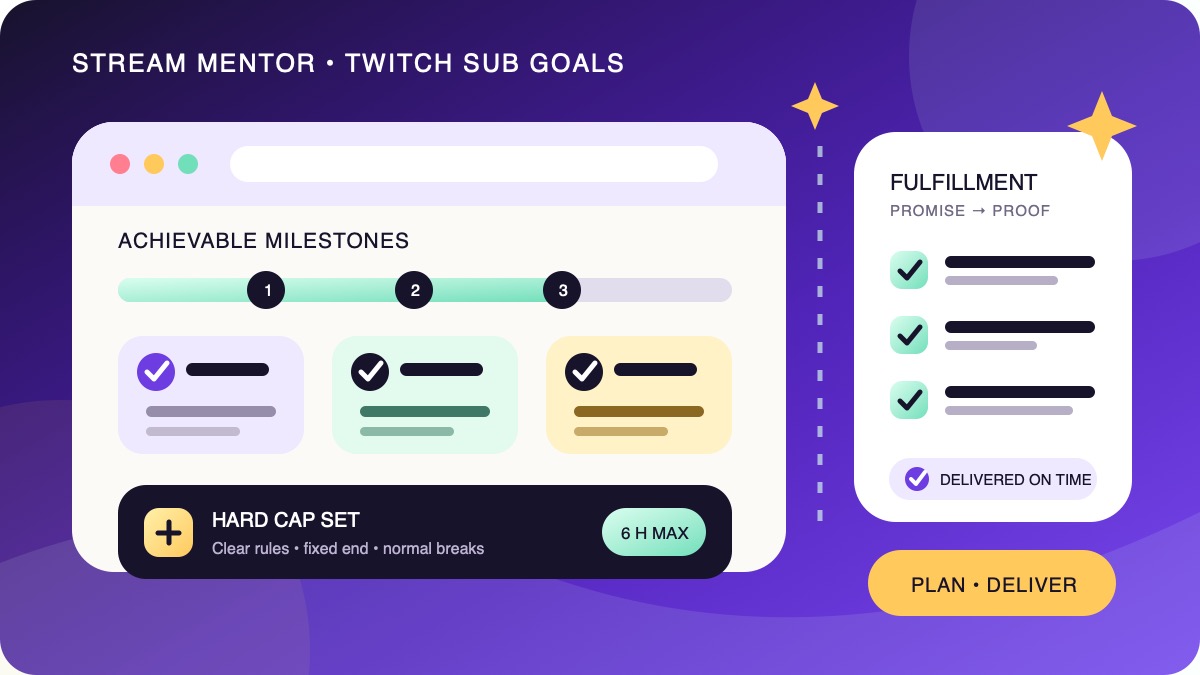
For example, a creator might start with three hours, add five minutes for each qualifying New Sub, and cap the event at six hours. The cap means no more than 36 five-minute extensions can be added, even if the displayed goal continues to move. This is only an arithmetic example; choose a duration that fits your normal health, work, caregiving, and sleep needs.
How to choose an attainable target
Do not copy a round number from a larger channel. Twitch's Creator Goals documentation says its recommended target is based on the channel's current sub-point or follower count, but you can choose your own. Treat that recommendation as one input, then compare it with your own recent streams.
- Choose a comparable period. Review roughly six to ten recent broadcasts with similar category, day, duration, and promotion. Twitch's analytics guide explains where to find a custom date range, stream summaries, subscriptions, subscriber breakdown, and revenue analytics.
- Choose one metric. Decide whether the public number is New Subs, New Sub Points, Total Subs, or another supported goal. Write it exactly as Twitch labels it.
- Look at the usual range. A target should be a believable step beyond normal performance, not a number that requires one viewer to fund most of the event.
- Price the promises. Total every cash cost and every hour needed after the stream. Lower the ladder if you cannot fulfill all reached milestones together.
- Test the zero-support version. The stream still needs a beginning, useful content, interaction, breaks, and an ending if the goal remains at zero.
Here is an illustrative small-channel plan. Suppose the last eight comparable streams produced zero to three New Subs, with one as the middle result. A one-stream goal of three may be a reasonable stretch for that channel:
| Milestone | Deliverable | Deadline | Cost |
|---|---|---|---|
| 1 New Sub | Chat chooses the next loadout from three options | Immediately | $0 |
| 2 New Subs | Community game session | Published date and time zone next week | $0, two hours |
| 3 New Subs | Live emote-concept sketch and community vote | Within the stated two-week window | Confirmed art budget |
Those numbers are not a benchmark and should not be copied. The useful part is the method: recent baseline, one defined metric, modest stretch, visible delivery, known cost, and no dependence on one large spender.
How to set up Twitch's official Creator Goal
According to Twitch's current Creator Goals help page:
- Open Creator Dashboard, then Stream Manager.
- Select the plus icon under Quick Actions.
- Add Manage Goals and open that action.
- Select the goal type, target, description, and progress-bar color.
- Start the goal, copy the browser-source URL if you want an overlay, and verify the displayed wording before going live.
Creators and editors can also use /goal in chat. Twitch says everyone can create a follower goal, while Affiliates and Partners can add other goal types, including one type of sub goal alongside a follower goal. Current choices include Total Subs, Total Sub Points, New Subs, New Sub Points, New Bits, and New Cheerers, with additional Plus Program goals for eligible channels.
New Subs and New Sub Points count qualifying Prime, Gift, or recurring subscriptions purchased while that goal is active. Read the current description shown in your dashboard before advertising the rules; do not assume an older overlay, spreadsheet, or article uses the same counting method.
Twitch also notes that its browser source displays only the most recently created active goal when a follower goal and sub goal both exist. If you use both, confirm on a private preview which progress bar the audience will see.
Build a fulfillment ledger before going live
A goal is not complete when the counter fills. It is complete when the promised work is delivered. Keep a simple public ledger in a channel panel, command response, event page, or community post.
| Field | What to record |
|---|---|
| Milestone | The exact threshold and Twitch metric |
| Deliverable | The content, asset, or event promised |
| Owner | You, a confirmed collaborator, or a commissioned professional |
| Due date | Date, time, time zone, and any clearly disclosed dependency |
| Status | Not reached, scheduled, in progress, delivered, or delayed |
| Proof | Link to the VOD, post, asset, event recap, or public update |
Do not raise a threshold after viewers contribute, quietly replace an expensive reward with a cheaper one, or delete an overdue promise. If circumstances change, explain what happened, propose a realistic replacement or date, and preserve the update where people can find it. For rewards involving another person, custom art, shipping, or a game publisher, obtain agreement before listing them.
Plan a capped subathon without turning endurance into the reward
Longer does not automatically mean better. A capped event with prepared segments is easier to moderate, easier for viewers to understand, and less likely to make exhaustion the spectacle.
- Set a hard stop that fits your ordinary sleep schedule rather than advertising sleep deprivation as a challenge.
- Prepare content blocks, normal meal and rest breaks, a BRB scene, and a backup activity.
- Give moderators the rules, escalation process, contact method, and permission to stop unsafe viewer suggestions.
- Use AutoMod and blocked terms as a baseline, not as a substitute for human judgment. Twitch's AutoMod guide explains that held messages still need moderator approval or denial.
- Never drive while reading chat or touching streaming equipment, and do not expose an IRL route or sleeping location.
- Stop the event if you are unwell or the environment is no longer safe, even if time remains on the overlay.
Twitch's Community Guidelines prohibit selling activities that may cause harm, specifically including shots of alcohol for subscriptions. They also prohibit activity reasonably expected to cause physical injury and alcohol consumption that leads to incapacitation. This guide recommends keeping alcohol completely outside sub milestones: it is easier to moderate, safer, and more inclusive than trying to make consumption scale with spending.
This guide also does not recommend sleep streams. Even where a particular format may be permitted, an unattended or sleeping creator has weaker privacy and moderation control, while the premise encourages an unnecessarily extended broadcast. End at the published cap and return rested for the next stream.
Giveaways, music, movies, and other risky promises
Giveaways and prize drawings
A giveaway is a promotion, not a casual replacement for a normal milestone. Twitch's current Terms of Service promotion section makes the creator responsible for applicable law, official rules, winner selection, prize delivery, costs, registrations, and required permissions. It also requires a Twitch non-sponsorship disclaimer.
Do not assume that making a subscription the only way to enter is lawful. Purchase, eligibility, age, location, tax, and disclosure rules vary. If you cannot publish compliant rules and deliver the prize, choose a non-prize goal or get qualified advice for the jurisdictions involved. This article is not legal advice.
Karaoke, music, and movie nights
A subscription to a music or video service normally grants personal viewing or listening access, not the right to rebroadcast its catalog. Twitch's Music Guidelines say creators should include music only when they have the necessary rights or authority. The guidelines specifically identify karaoke recordings as content you may not use unless you own the music or have permission from the relevant rights holders.
Use original, properly licensed, or otherwise authorized material and verify the rights for the live stream, VOD, clips, and promotional edits. The same principle applies to movies, art, viewer videos, and other copyrighted material. Buying access is not the same as buying broadcast rights.
Appearance, privacy, and dangerous challenges
Do not make shaving, weight, pain, sexualized clothing, humiliation, intoxication, or disclosure of private information the price of community support. A costume, IRL segment, or room tour should stay within the creator's consent and should not reveal home details, documents, notifications, minors, or bystanders who did not agree to appear.
Make every goal accessible to more viewers
Twitch's accessibility guide recommends descriptive text for visual panels, closed captions, and in-game subtitles. Apply those principles to the goal itself:
- write the rules in text instead of explaining them only aloud;
- show the metric, target, cap, and due date in readable type;
- do not use color alone for reached and unreached milestones;
- caption spoken announcements where practical and enable game subtitles;
- warn before flashing or intense segments and avoid rapidly flashing alerts;
- repeat important context for viewers who join later;
- offer non-paying participation such as polls, suggestions, and chat choices.
A pre-stream checklist
- The goal type in Twitch matches the words on the overlay and event page.
- The target comes from recent comparable performance, not another creator's audience.
- Every milestone has a deliverable, owner, cost, deadline, and fallback.
- The stream has useful content if the goal receives no contributions.
- The timer has a fixed cap and a published outage rule.
- Moderators have reviewed the challenge list and escalation plan.
- Copyright, promotion, game, privacy, and age-rating issues are resolved.
- Captions, subtitles, readable text, and non-color status labels are checked.
- Viewers can participate without paying, and the wording contains no guilt or false urgency.
- The fulfillment ledger is public and ready to update.
Frequently asked questions
What is a good first sub goal for a small streamer?
Choose one low-cost result that fits the existing stream: chat selects the next loadout, a short challenge happens immediately, or a community session is scheduled on a date you already reserved. Use the channel's recent baseline instead of starting at an arbitrary 25, 50, or 100.
How many milestones should a sub goal have?
Use only as many as you can fulfill together. For many small streams, three clearly spaced milestones are easier to understand and deliver than a poster of ten promises. Small repeatable interactions can happen between them without requiring more spending.
Can a non-Affiliate set a Twitch sub goal?
A channel needs Twitch subscription access before it can receive subscriptions. Twitch's current Creator Goals documentation says everyone can set a follower goal, while additional monetization goal types are available to Affiliates and Partners. A non-monetized channel can still run a free content, follower, practice, or community-participation goal.
Do Prime and gifted subscriptions count?
Twitch says its New Subs and New Sub Points goal types include qualifying Prime, Gift, and recurring subscriptions purchased while the goal is active. Other overlays may define counters differently, so publish the exact Twitch goal type and verify the live progress rather than promising that every alert counts.
Does a subathon need to last 24 hours?
No. There is no content benefit that requires a 24-hour minimum. Start with a normal-length event, publish a hard cap, schedule ordinary breaks, and treat the cap as final even if the contribution counter continues.
Are drinking goals allowed on Twitch?
Twitch's current Community Guidelines distinguish some non-excessive drinking goals from prohibited harmful conduct, but they explicitly prohibit shots for subs and other paid activities that may cause harm. Stream Mentor recommends not tying alcohol to subscriber milestones at all.
Sources and review scope
- Twitch Help: Creator Goals.
- Twitch Creator Camp: Bits and Subscriptions and Introduction to Twitch Analytics.
- Twitch Safety Center: Community Guidelines.
- Twitch Legal: Terms of Service—Promotions and Music Guidelines.
- Twitch Creator Camp: Making Your Twitch Channel More Accessible.
- Twitch Help: How to Use AutoMod.
These first-party sources were checked on July 24, 2026. Stream Mentor did not start a Creator Goal, run a test subathon, process a giveaway, or measure conversion rates for this review. Dashboard labels, eligibility, goal types, and policy language can change; confirm the current interface, rules, and laws that apply before announcing an event.