We have all said and done questionable things, and as time passes, we can move beyond them. However, when it comes to the internet, everything you do and say can be preserved indefinitely.
This is especially relevant for online content, such as Instagram comments. If there is a comment you no longer wish to view, or that others might prefer not to see, there is no need to worry.
This article will guide you on how to delete a comment on Instagram, no matter when or where you posted it.
How to Delete a Comment on an Instagram Post?

On Instagram, you have the ability to manage the comments that people leave on your posts. This is important, as you want to prevent anyone from posting anything inappropriate beneath your photos.
Here’s how to delete comments made by others on your post:
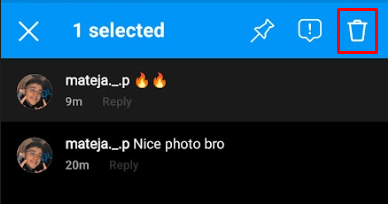
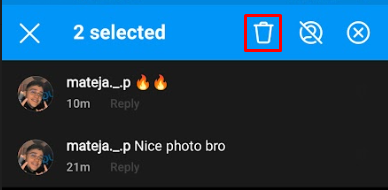
If you want to delete more comments, simply tap on them while the first one is selected; this will allow you to delete them all at once. Just be aware that the trash can icon will move slightly.
Deleting Instagram Comments on Desktop
If you are using the desktop version of Instagram, following these steps will help you delete comments on your posts.
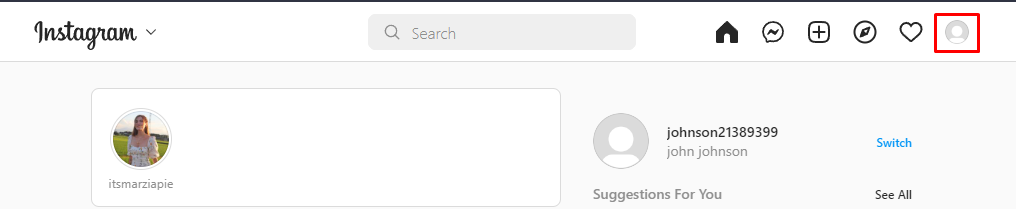
4. Find the comment you want to delete, hover your mouse over it, and click the three-dot icon.
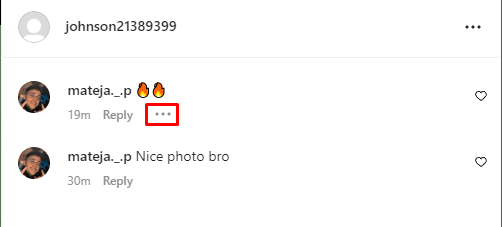
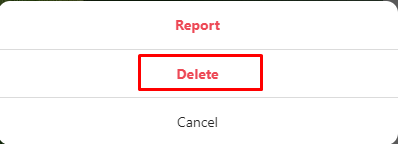
5. Click "Delete" in the pop-up menu.
Removing Comments You Posted on Another User’s Instagram Post
This section will explain how to delete comments you have made on someone else's content.
We start, as always, by logging into our Instagram account.
Next, find the post where you made the comment and navigate to it. You can do this by using the search icon located in the bar at the bottom of the application. Alternatively, you can scroll through your timeline to locate the post.
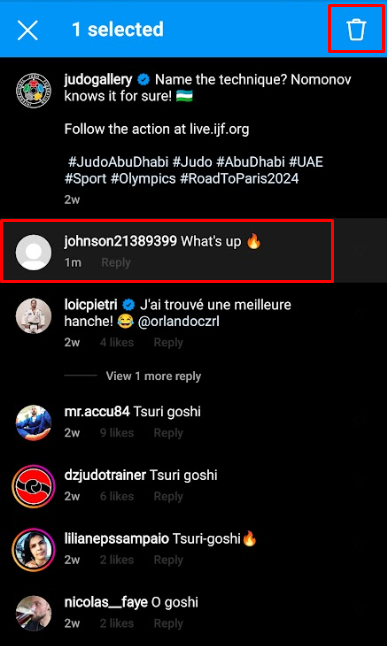
Once you have found the post, click on any of the comments below it to access the comments summary page, where all comments, including yours, will be shown.
After finding your comment on the summary page, tap and hold it, then press the trash icon located in the top right corner.
How Do You Delete a Comment on Instagram if You Can't Find It?
You may find yourself in a situation where you recall leaving a specific comment, but cannot remember its location. You might even remember whose page you commented on, but struggle to recall their username.
Fortunately, there is a highly effective solution for this issue, as Instagram has introduced a feature that allows you to review and manage all your past activity, including every comment you have made.
To use this feature, follow these steps:
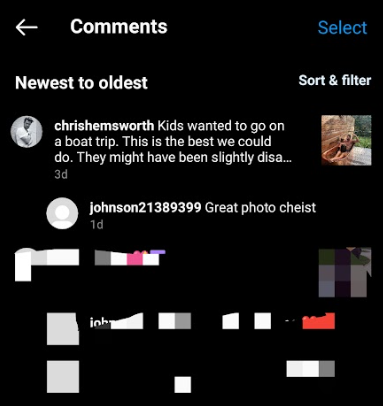
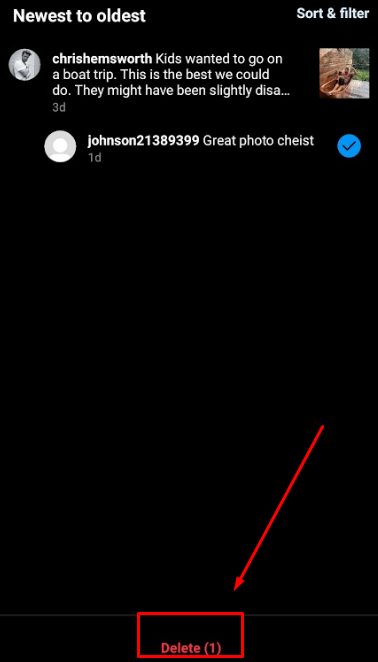
After selecting comments, you will access a space that displays all the comments you have made on Instagram.
If you often comment, it may take a long time to locate the comment you need. Fortunately, there is an option to filter comments.
You can sort them from newest to oldest or filter them by author, start date, and end date.
Once you find the comment you want, tap and hold it until it is selected, then press the delete option at the bottom of the screen.
Block Someone From Commenting on Your Posts
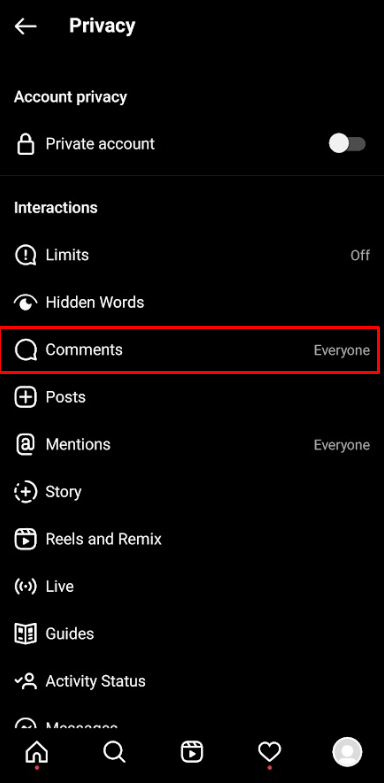
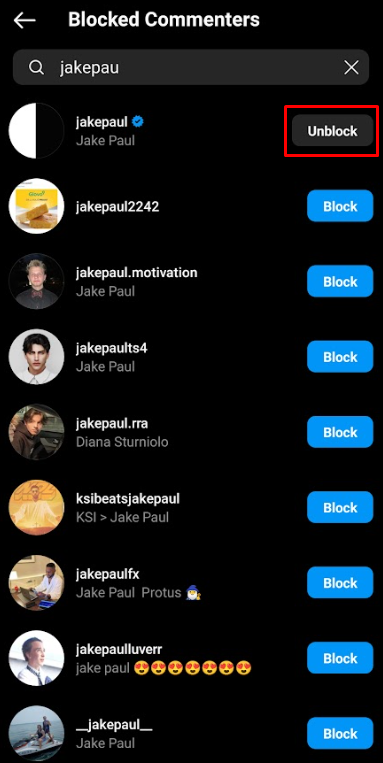
If you want to protect your reputation from unfair criticism, such as accusations of having fake followers, or if you simply prefer that they do not engage with you for any other reason, you can choose to hide their comments.
Here is how to hide comments from any account you select:
How to Disable Comments on Instagram?
If you would like to prevent anyone from commenting or responding to your post, you can always disable comments below your content.
This is how to achieve it:
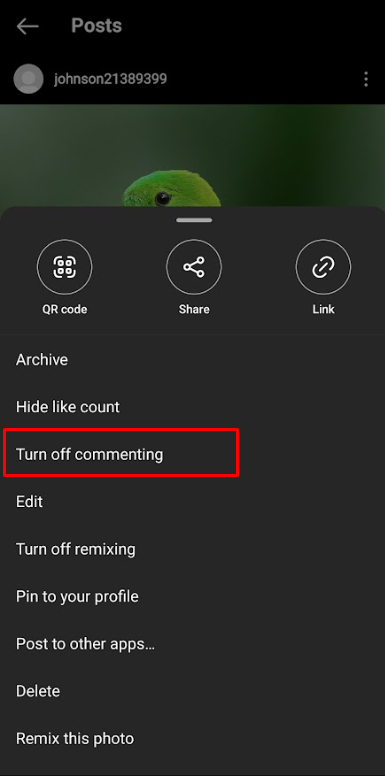
This will disable comments.
You can reenable them at any time. To do this, follow the same steps we used earlier and tap "Turn On Commenting" in the final step.
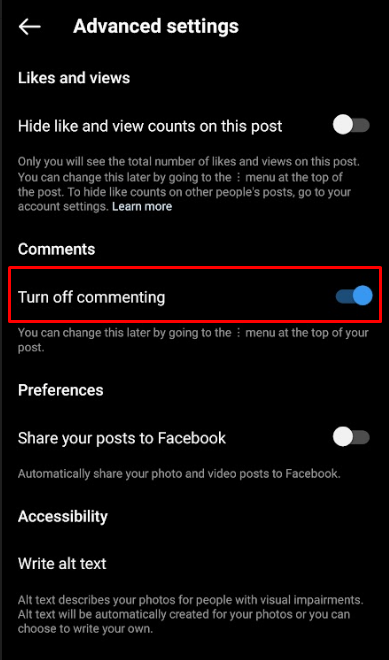
Disabling Comments Before Sharing a Post on Instagram.
To disable comments on the post you are about to share, follow these steps:
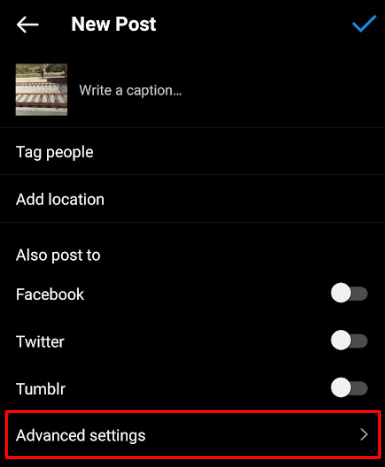
3. Toggle "Turn off commenting," which is located under the comments header.
Conclusion
This article has covered almost everything you need to know about managing comments on Instagram.
After reading this, you will likely be able to delete, hide, and filter comments, no matter which device you are using.
We hope this has been helpful in improving your understanding of the platform and aiding you in navigating Instagram more easily.
If you found this article enjoyable, you will probably also find "the best time to post on Instagram" intriguing.