Dark mode is a valuable feature for your phone, as it is gentle on the eyes and improves the overall user experience for many individuals.
Some apps permit you to enable dark mode separately from the entire phone, and this applies to Instagram.
How to Turn on Dark Mode on Instagram?
- Enabling Dark Mode in your smartphone settings (both iOS and Android);
- Enabling Dark Mode inside Instagram App (only Android)
Everything you need to know about enabling dark mode on Instagram is outlined below, so let's dive right in!
How to Enable Dark Mode on Instagram for iPhone?
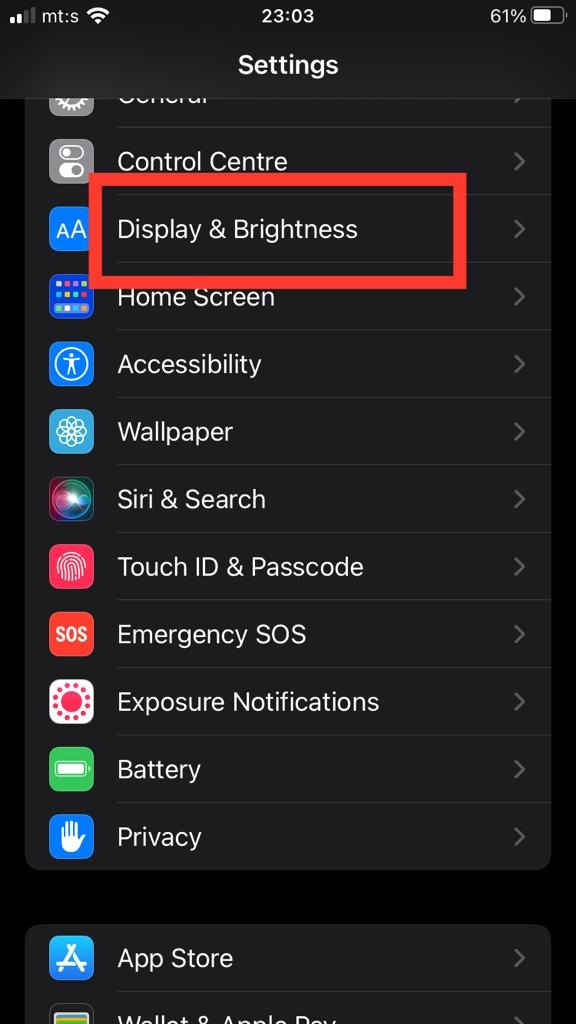
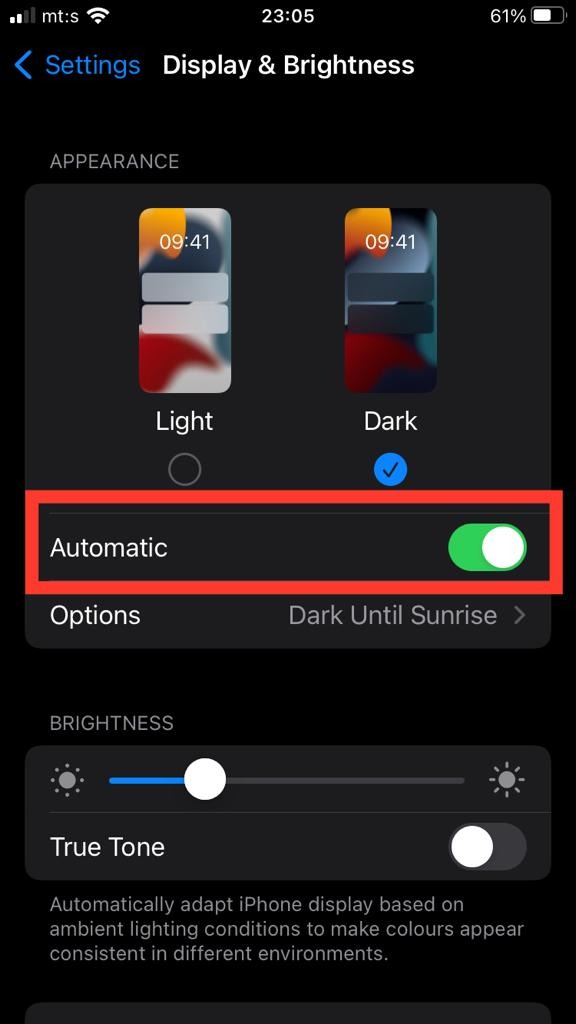
To enable Instagram dark mode on an iPhone, you must access the device's settings and adjust it from there.
Here are your steps:
Enabling Dark Mode on Instagram for Android

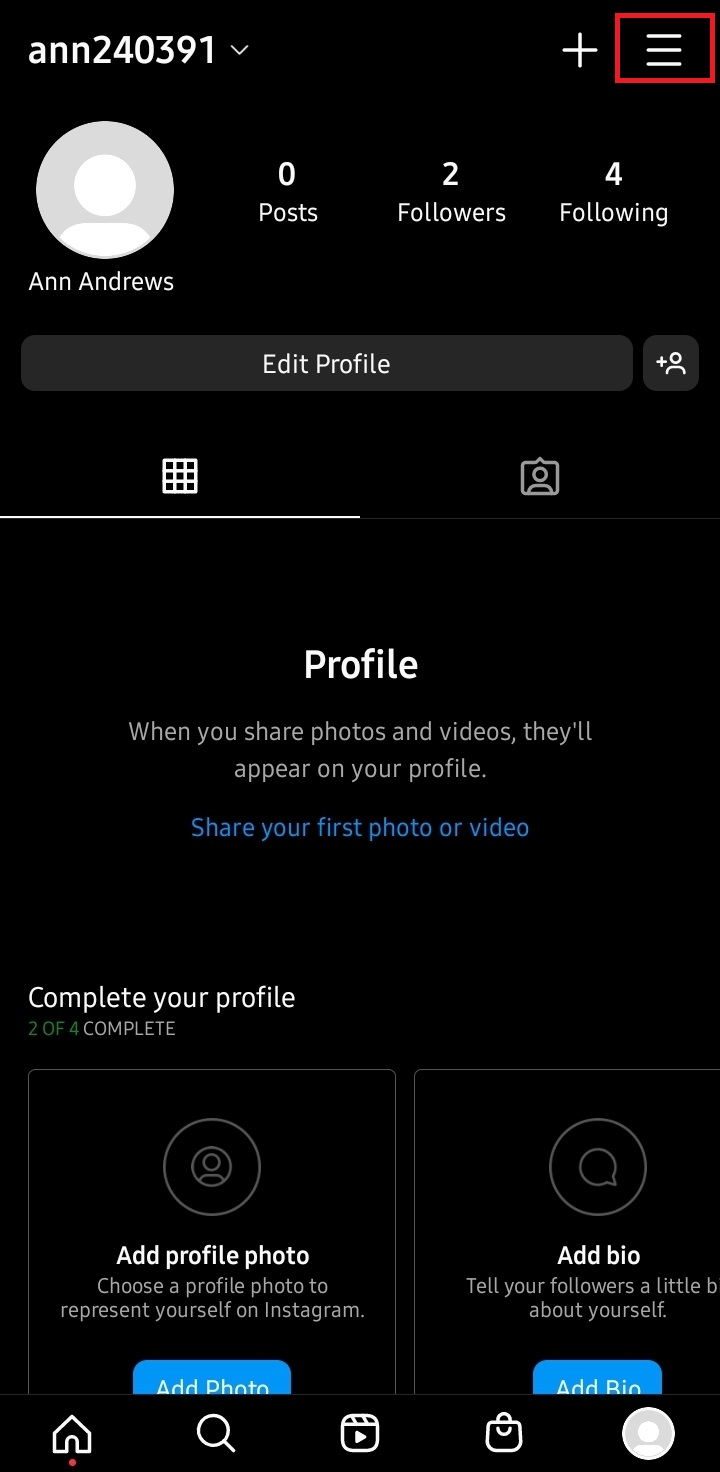
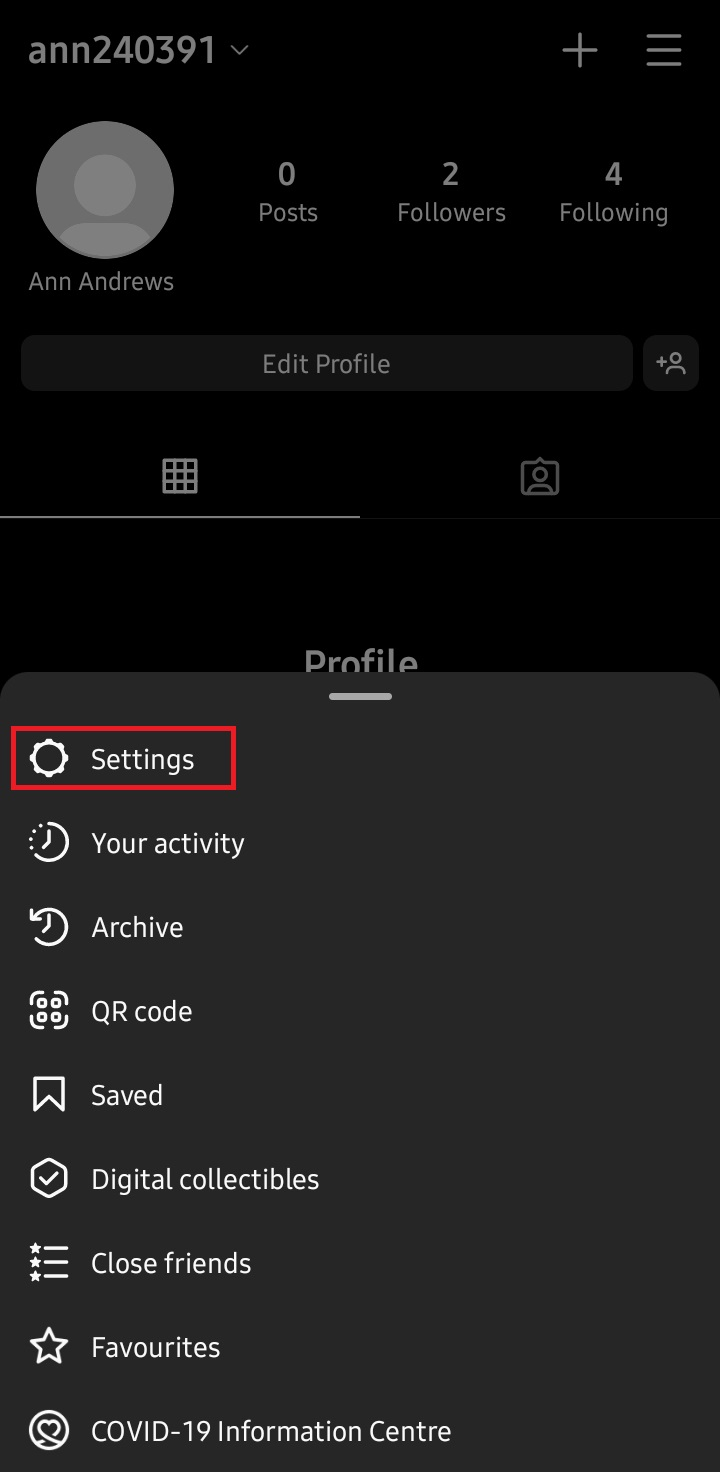
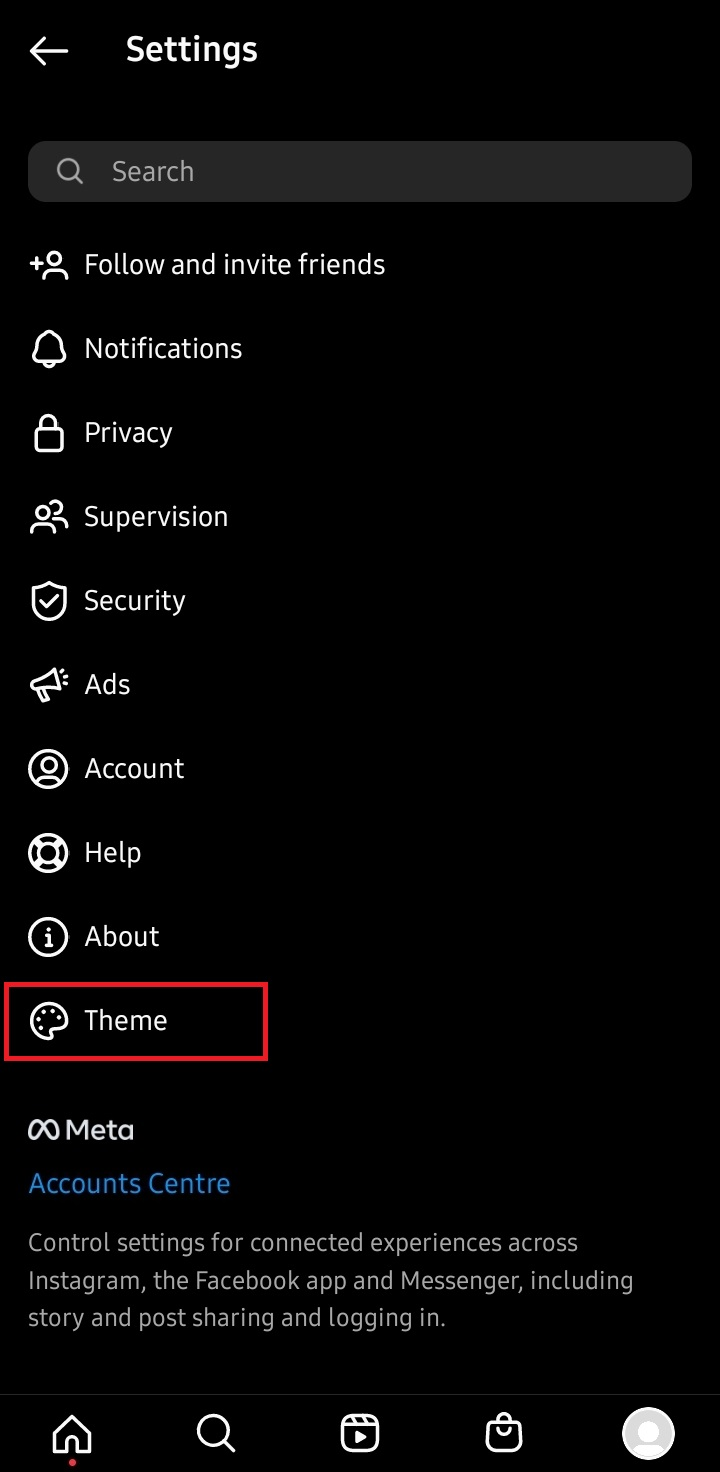
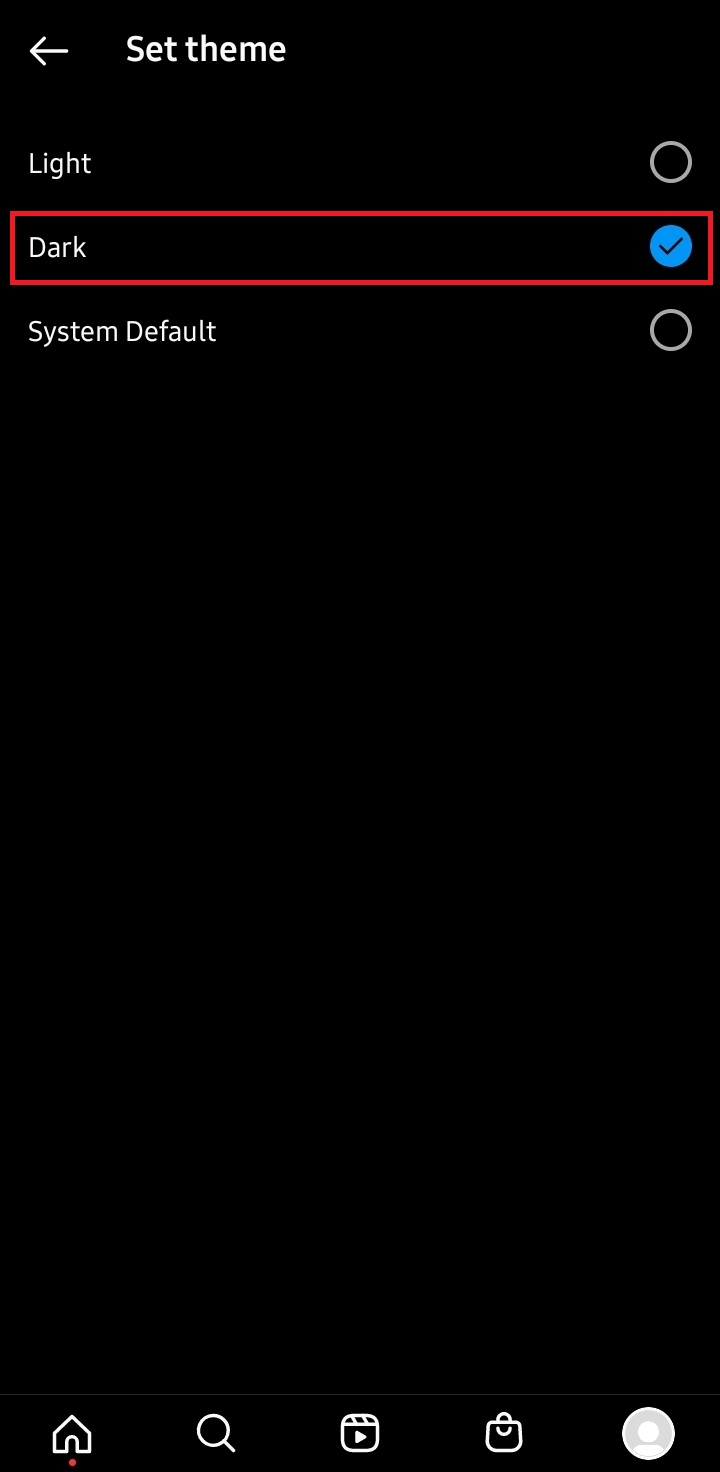
If your phone is already in dark mode, you can select the System default option, which will also make the Instagram app dark. However, to ensure this, it is advisable to choose the Dark mode option.
In both scenarios, it will look exactly the same.
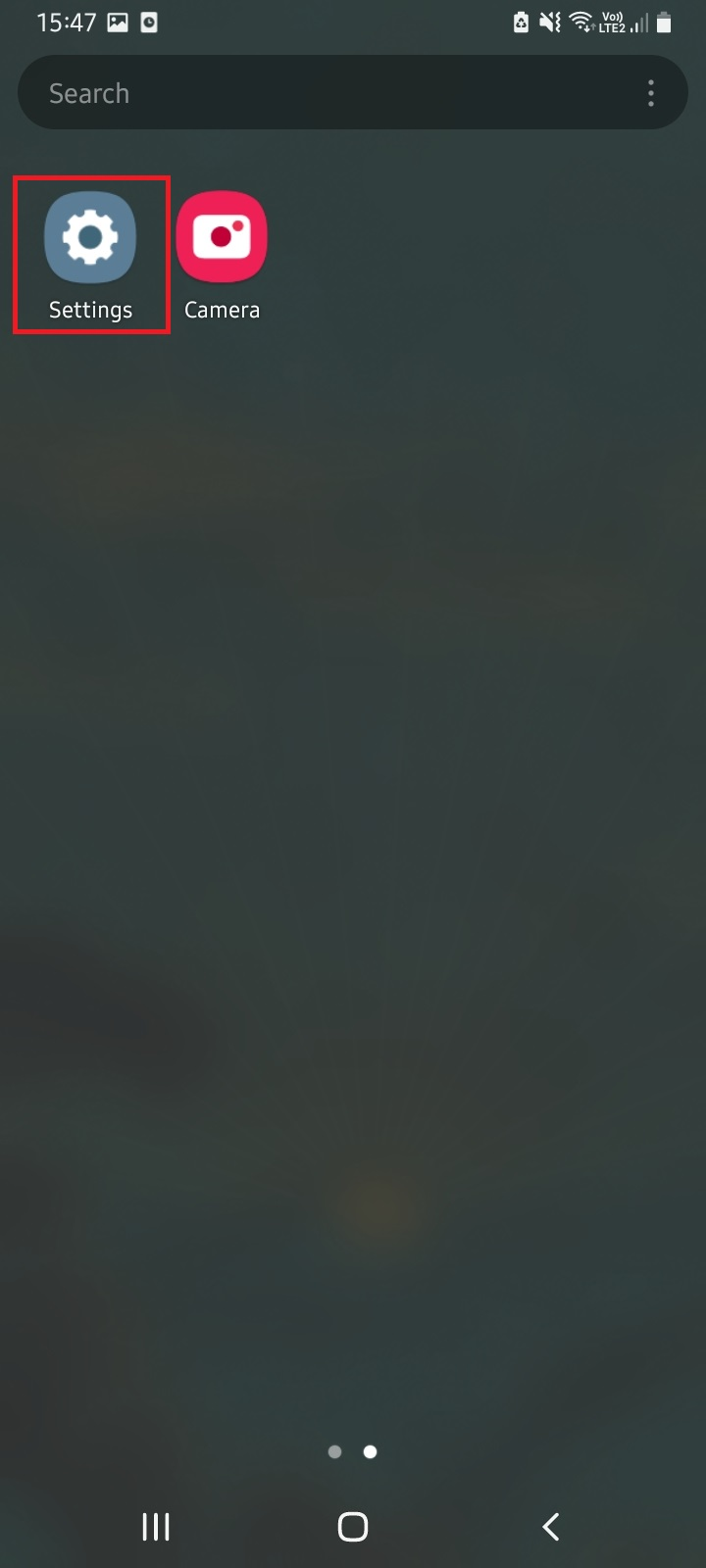
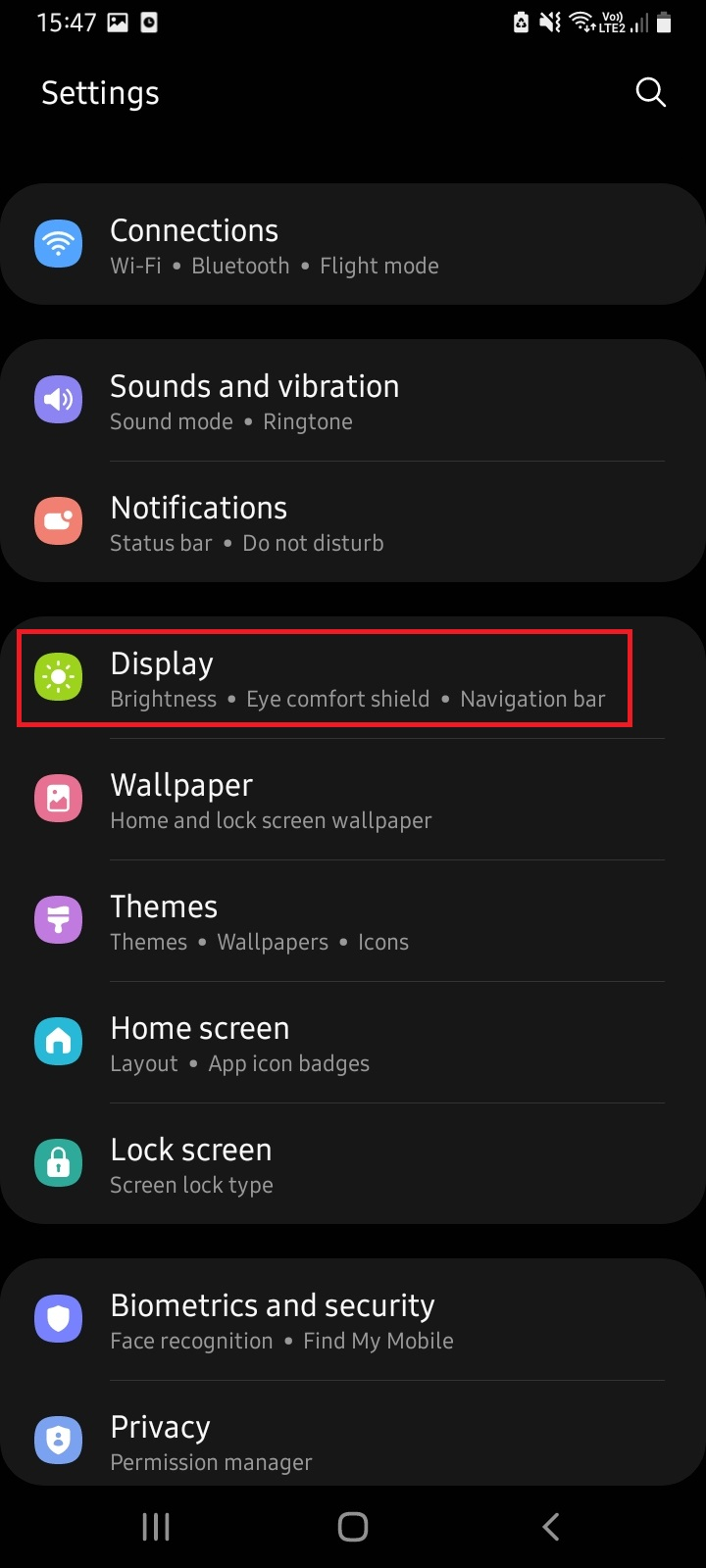
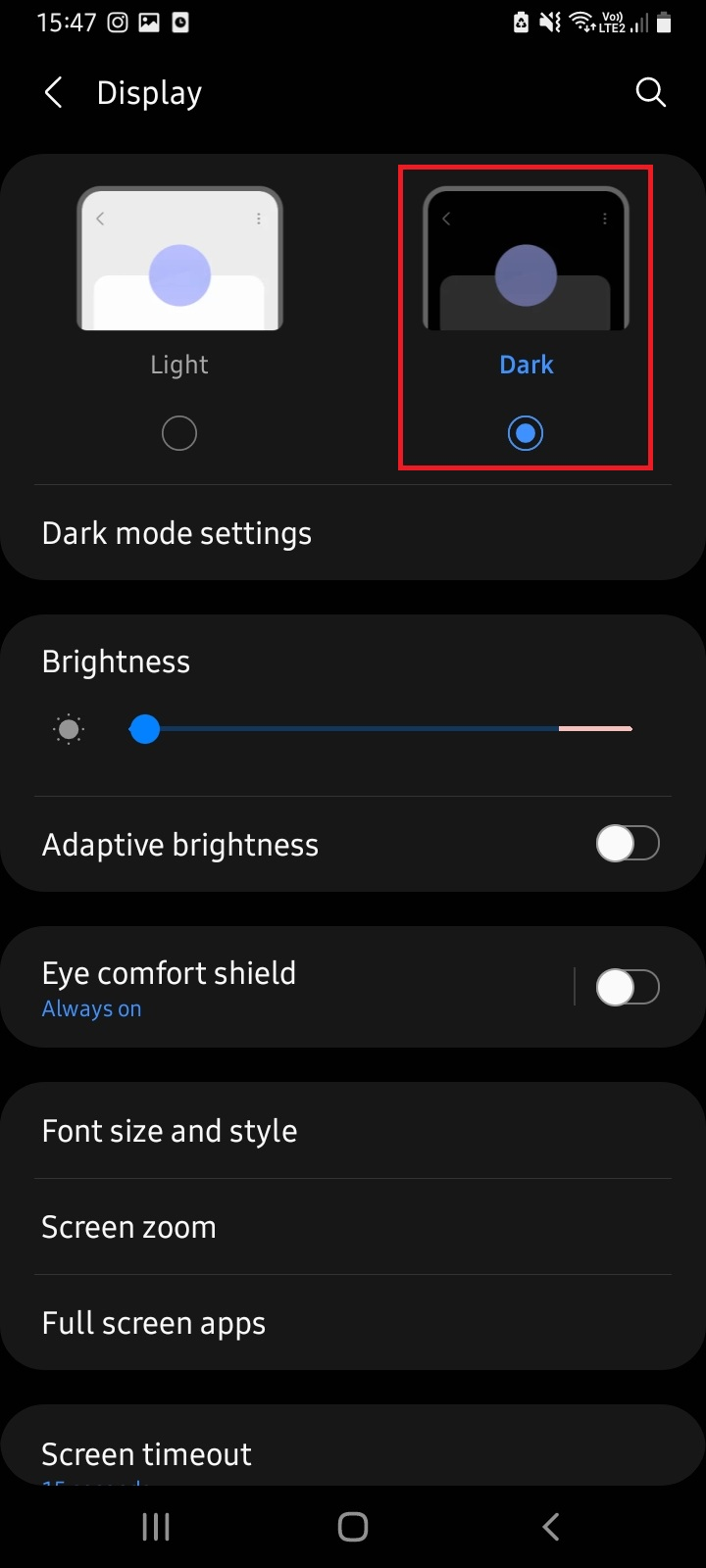
Enabling Dark Mode in Phone Settings
Your phone settings may differ slightly based on your model, but overall, the steps are generally consistent.
Even if it doesn't unfold in exactly the same manner, you will still arrive at the right destination by following these steps:
Conclusion
Most devices operate in a similar manner when you want to enable dark mode for Instagram, and it usually requires just a few steps to access it.
You have two options: you can either enable dark mode for your entire phone or activate dark mode for Instagram separately.
To enable the dark theme for just the app, you need to adjust the settings within Instagram. In contrast, to activate dark mode for your entire phone, you must modify the settings in your device's display options, and that's all there is to it!
FAQ
How to turn on dark mode on Instagram PC?
There are some third-party PC software options that can enable dark mode in your browser, but they do not always function properly on the Instagram website.
How to turn on dark mode on Instagram Mac?
Does enabling dark mode save battery life?
However, it won't significantly enhance battery life on its own; several other factors come into play, such as whether the screen is LCD or OLED, among others.